
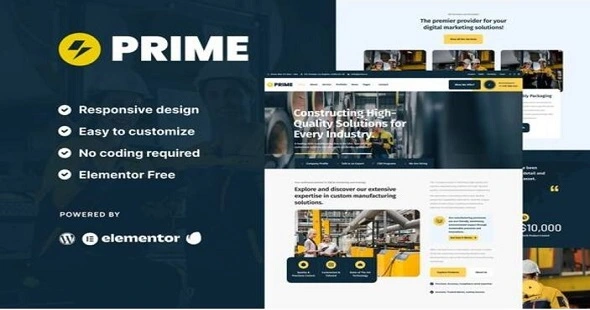
Prime Theme GPL – Industrial & Manufacturing Elementor Template Kit
Sale
38
Items sold in last 3 days
17
People watching this product now!
Original price was: 71.51$.3.28$Current price is: 3.28$.
Prime Theme GPL – is an Elementor Template Kit for industrial company websites. It has simple and clean design with modern layout style.
- Use on Unlimited Website – Personal or Clients
- Original Product From the Developer
- Quick help through Email & Support Tickets
- Get Regular Updates For 1 Year
- Last Updated –
- Developer Live Preview
- Get this Product for Free in All Memberships
Description
Prime Theme GPL Industrial & Manufacturing Elementor Template Kit Overview
Prime Theme GPL is an Elementor Template Kit for industrial company websites. It has simple and clean design with modern layout style. Designed to use with Elementor Free version, ready to import and reusable for industrial company website, manufacture, fabrication, technical company, engineering, etc.
Features:
- Elementor Free, No upgrades required
- Modern Typographic Design
- Fully Responsive Layout
- Fully Customizable
Templates Included :
- Homepage
- About Page
- Contact Page
- Metform Contact Form
- Metform Newsletter Form
- News Page
- Portfolio Page
- Service Page
- Single News
- Single 404
- Header
- Footer
- Global Styles
How to Use Template Kits:
This is not a WordPress Theme. Template kits contain the design data for Elementor only and are installed using the envato Elements plugin for WordPress or directly through Elementor.
Elementor Template Kits use the Envato Elements plugin to install.
Setup Global Header and Footer in ElementsKit
- Import the header and footer template
- Go to ElementsKit > Header Footer and click Add New (if prompted with a wizard, you may click Next through it without taking any action)
- Title the header, leave Entire Site selected and toggle Activation to On
- Click the gray Edit Content button to load the builder
- Click the gray folder icon and select the header template to import, select your menu in the nav element and click Update.
- Repeat for Footer
How to Import Metforms If you have Elementor Pro, skip install of Metform and form blocks.
- Import the metform block templates
- Import the page template where the form appears and right-click to enable the Navigator
- Locate and select the Metform widget and click Edit Form. Choose New, then Edit Form. The builder will appear
- Click ‘Add Template’ grey folder icon.
- Click ‘My Templates’ tab.
- Choose your imported metform template, then click ‘Insert’ (click No for page settings).
- Once the template is loaded, make any desired customizations and click ‘Update & Close’ The form will appear in the template
- Click Update
Additional information
| Brand | Theme Forest |
|---|---|
| License Type | GPL License |
| Activation | Pre-activated |
Reviews (0)
You must be logged in to post a review.
Coupon
Halloween Sale
Use the coupon code FLAT40 for an instant 40% discount on all items, including the Lifetime Membership.
The offer applies to all items, including Themes, Plugins, Membership Plans, Exclusive, and Lifetime Deals.
BLACK FRIDAY · 40% OFF ORIGINAL LICENSES
Get Original Lifetime & Exclusive Themes & Plugins Licenses
Premium original licenses for popular WordPress themes, plugins and website-building tools — available at exclusive prices.
Elementor Addons
Trending
🚀 Need a genuine developer license to supercharge your next project?
Act fast — unlock 100+ lifetime & exclusive deals available for a limited time. Once they're gone, they're gone forever!
More Original Licenses
Astra Pro |
GeneratePress Pro |
OceanWP |
Divi |
Brizy Pro |
Spectra Pro |
JetFormBuilder Package |
NotificationX Pro |
BetterLinks Pro |
BetterDocs Pro |
Templately |
WPvivid Backup |
Presto Player Pro |
ProductX Pro |
PostX Pro |
WP All Import Pro Package |
WP All Export Pro Package |
ElementsKit Pro |
Customer Email Verification
And more fabulous deals — check the complete list of original licenses here


Reviews
Clear filtersThere are no reviews yet.