
InteriorX GPL v1.0 – Elementor Template Kit for Interior Design
Original price was: 71.51$.3.28$Current price is: 3.28$.
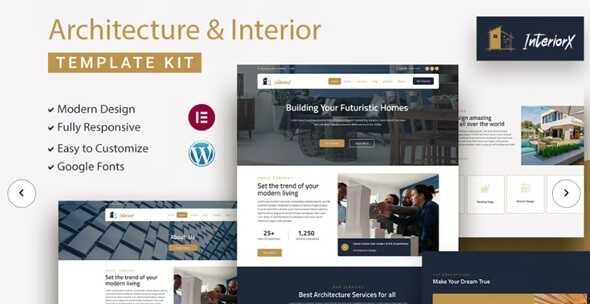
InteriorX Elementor Template Kit GPL – AInteriorX is a global, responsive, customized interior design website template. Since InteriorX never requires any coding knowledge, even beginners can create an effective page. Our template offers everything you need to succeed.
- Unlimited Website Usage – Personal & Clients
- Original GPL Product From the Developer
- Get Regular Updates For 1 Year
- Quick help through Email & Support Tickets
- Last Updated –
- Developer Live Preview
- Get this Product for Free in Membership
InteriorX GPL – Elementor Template Kit for Interior Design
InteriorX is a global, responsive, and customized interior design website template. Since InteriorX never requires any coding knowledge, even beginners can create an effective page. Our template offers everything you need to succeed, whether you are planning your first home or want to start a new business. This template, with its basic and elegant look, is ideal for your business because of its clean and minimalist design. You can quickly customize them using simple drag and drop methods to fit any project or aesthetic! Moreover, it includes many kinds of demos to meet your demands and allow for a quick start. Last but not least, InteriorX will perfectly display all your ideas on desktop and mobile devices and quickly adapt to any
Contemporary web browser. #### Feature List
- Drag-and-drop visual builder for true no-code customization.
- Individual elements can be adjusted or fonts and colors can be changed in one place.
- A design that is both contemporary and professional.
- Fast loading.
- Most Elementor Themes are compatible with this Plugin.
### Template Kits: How to use the theme
- Install and activate the “Envato Elements” plugin in WordPress by going to Plugins > Add New.
- Do not unzip your kit file after downloading it.
- Click the Load Template Kit button in Elements > Installed Kits. You can also import automatically by linking your Elements membership to your Connect account and then importing under Elements > Template Kits.
- Check for an orange banner at the top of the page, then click Installation Requirements to load the Plug-ins required by the kit.
- First, import the styles from the global kit.
- One template at a time, click Import. You can find them in the Templates > Saved Templates section of Elementor.7. Create a new page in Pages, then click Edit with Elementor.
- To view the page options, click on the gear icon in the bottom left corner of the builder and select Elementor Full Width and Hide Page Title.
- To access the My Templates tab, click the gray folder icon, then click Import the page you want to edit.
#### Importing Forms: What You Need to Know
- Metform block models must be imported.
- Import the page template containing the form and activate the Navigator by right-clicking.
- Click Edit Form after locating and selecting the Metform widget. Then select New and Edit Form from the drop-down menu. The Object(){[native code]} function will be displayed.
- Select the gray folder icon that says “Add Template.”
- Select the “My Templates” option from the drop-down menu.
- Then click “Insert” after selecting your imported form template (click No for page settings).
- Once you are done customizing the template, click “Update and Close”. The form will appear in the template.
- Update the information by clicking the button.
#### In Elementskit, configure the global header and footer
- Import the template for the header and footer.
- Go to ElementsKit > Header & Footer and select Add (if prompted by a wizard, you can click Next without taking any action).
- Enable Activation, give the header a title, and leave Entire Site selected.
- To open the generator, click the gray Edit Content button.
- Select the header template to import by clicking the gray folder icon, then select your menu in the navigation item and click Update.
- Repeat for the footer.
Demo images from Envato Elements are used in this Template Kit. To use these photos on your website, you need to purchase a license from Envato Elements, or you can use your own.
- https://elements.envato.com/collections/UVJR2Y4MPD
| Brand | Theme Forest |
|---|---|
| License Type | GPL License |
| Activation | Pre-activated |
You must be logged in to post a review.
The product package may contain additional zips. So, make sure to unzip it first before uploading it to your WordPress Website.


Reviews
Clear filtersThere are no reviews yet.