
Tutor Pro Alipay Addon GPL v1.0.0

Original price was: 71.51$.3.28$Current price is: 3.28$.
Tutor Pro Alipay Addon GPL – The Alipay payment gateway provides a secure, efficient, and widely accepted payment method, making it a valuable tool for businesses looking to expand their reach and improve transaction processes.
- Use on Unlimited Website – Personal or Clients
- Original Product From the Developer
- Quick help through Email & Support Tickets
- Get Regular Updates For 1 Year
- Last Updated –
- Developer Live Preview
- Get this Product for Free in All Memberships
Tutor Pro Alipay Addon GPL Overview
Alipay is one of the largest digital payment platforms in China and is widely used for domestic and international transactions. The Alipay payment gateway provides a secure, efficient, and widely accepted payment method, making it a valuable tool for businesses looking to expand their reach and improve transaction processes.
Alipay is available in limited currencies. So, before using Alipay, ensure that it is supported in your country and your currency is supported.
Adding Alipay as a Payment Option
Here are the steps to add Alipay to your Tutor LMS website.
- Log in to your Tutor LMS Dashboard.
- Navigate to Settings > Monetization > Payment Methods.
Add Alipay
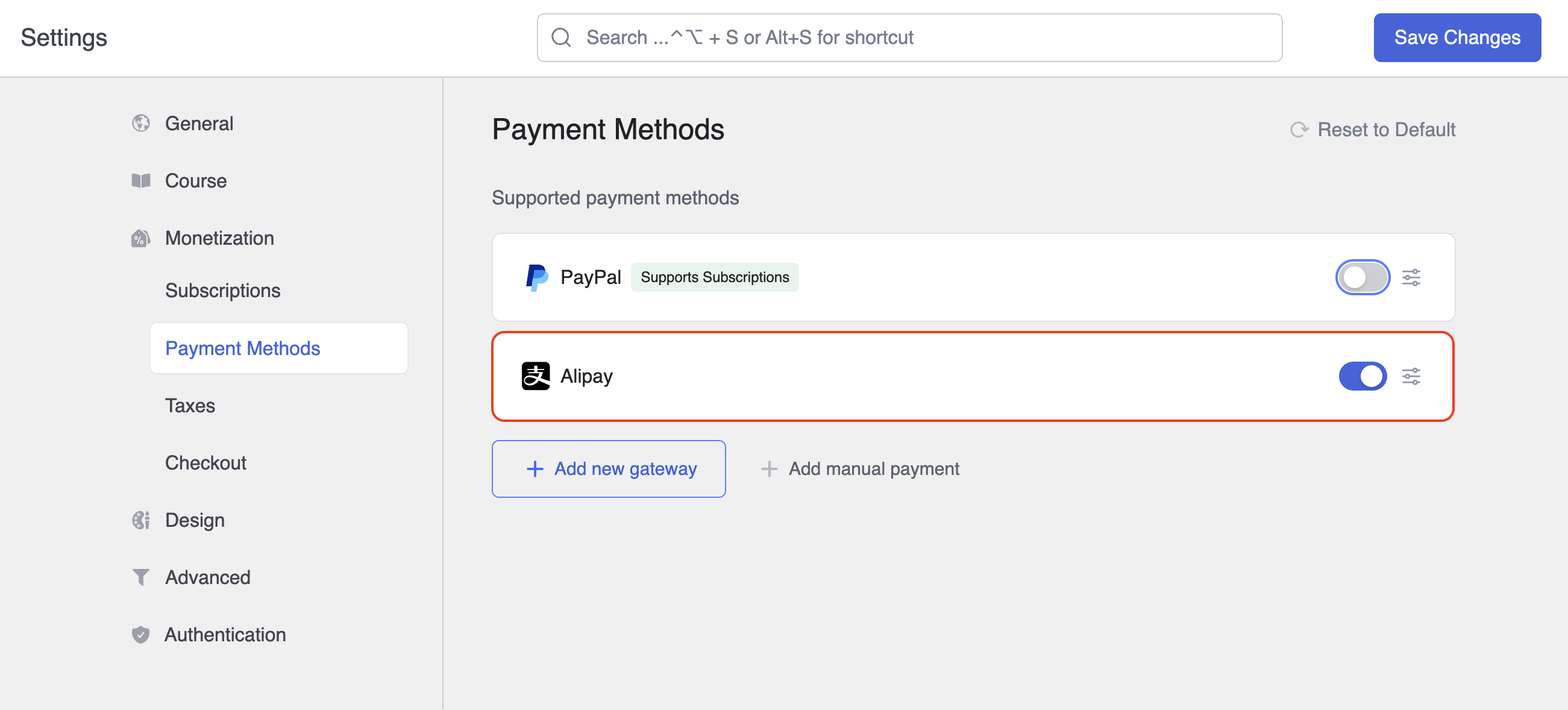
- Click the Add new gateways button.
- From the list of available payment methods, select Alipay and click the Install button.
Once installed, Alipay will appear as one of your payment options.
Configuring Alipay Integration
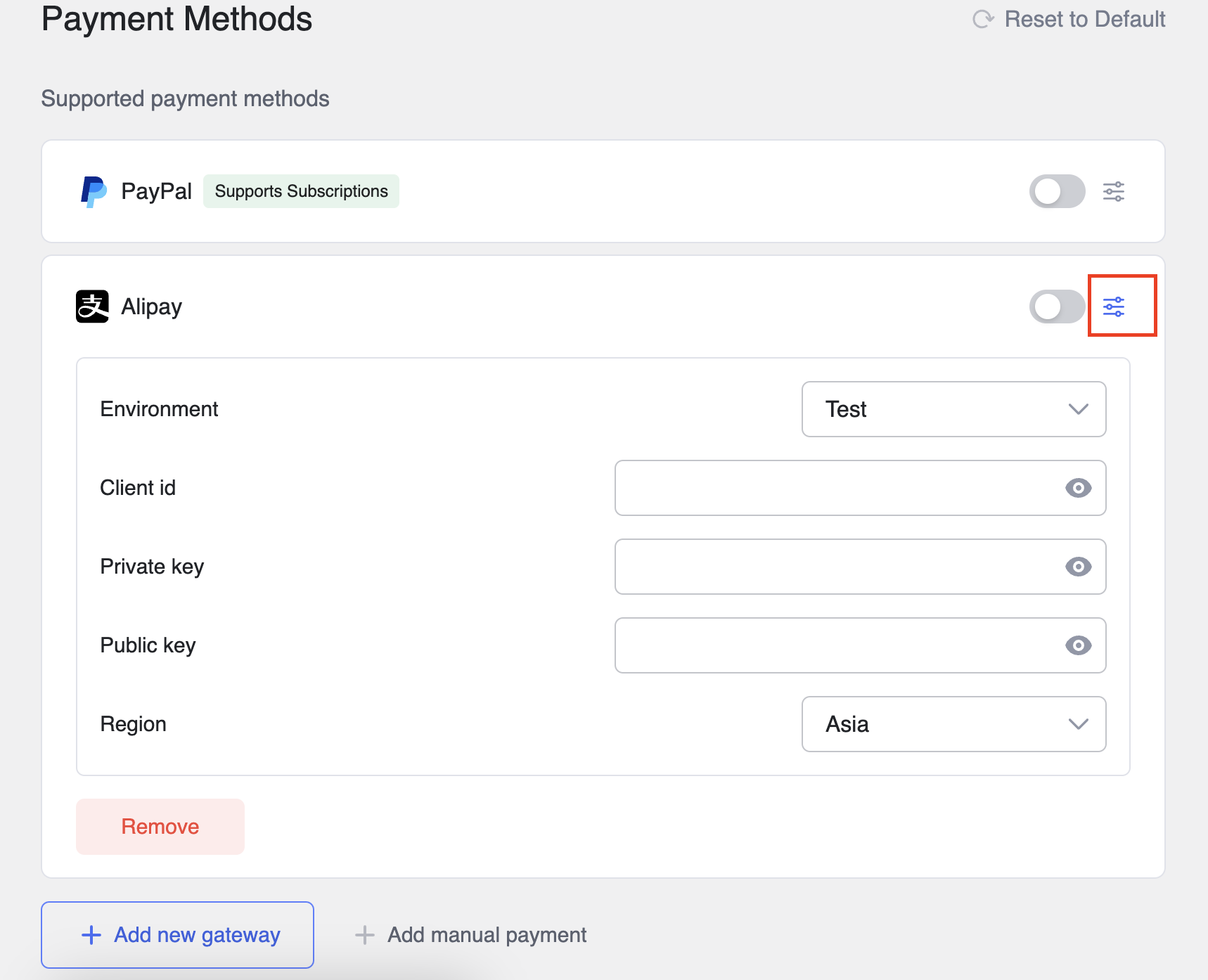
In the Payment Methods section, toggle the switch to enable Alipay for checkout. Then, click the Setup icon next to Alipay to expand the settings. Here, you can select the Environment and enter other fields.
How to Get Alipay Credentials?
To integrate Alipay, you need to obtain the Client ID, Public key, and Private key from the Alipay platform. Here are the steps to collect these:
Step 1: Login to your Aplipay Portal.
Step 2: Create a New Application for your platform.
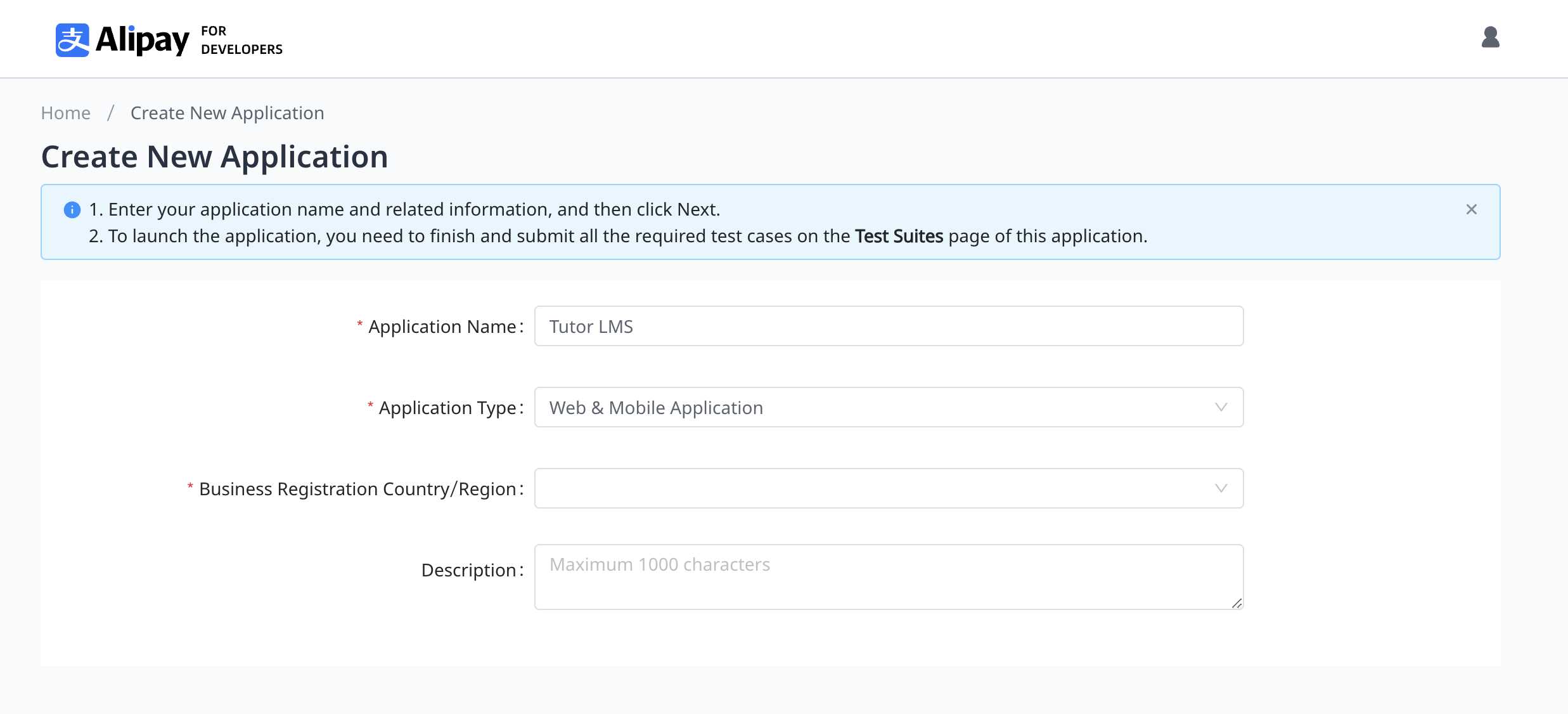
Step 3: Enter the Application name, select the Application type, and set your Business Registration Country.
Step 4: Select your required products and scenarios.
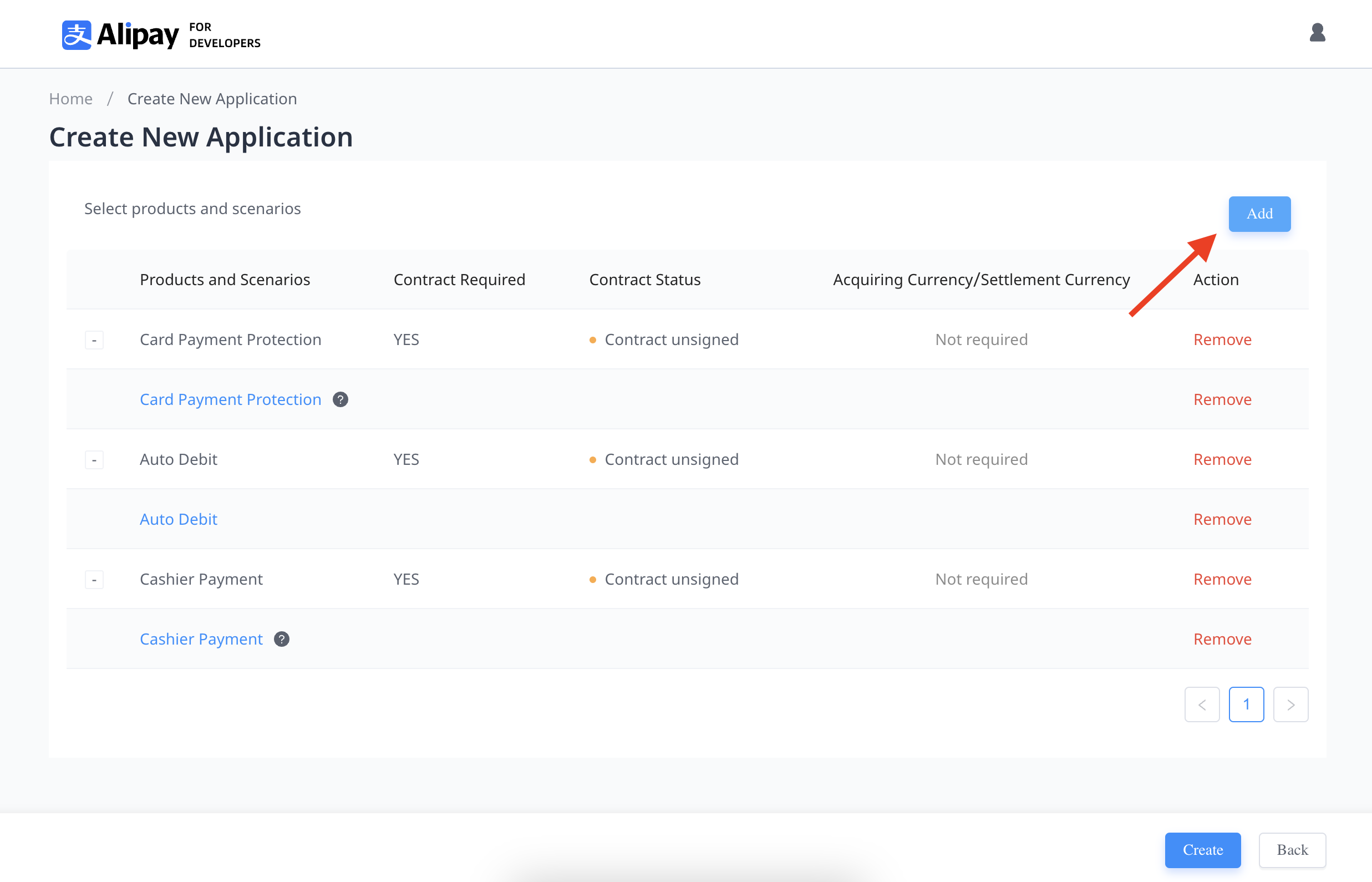
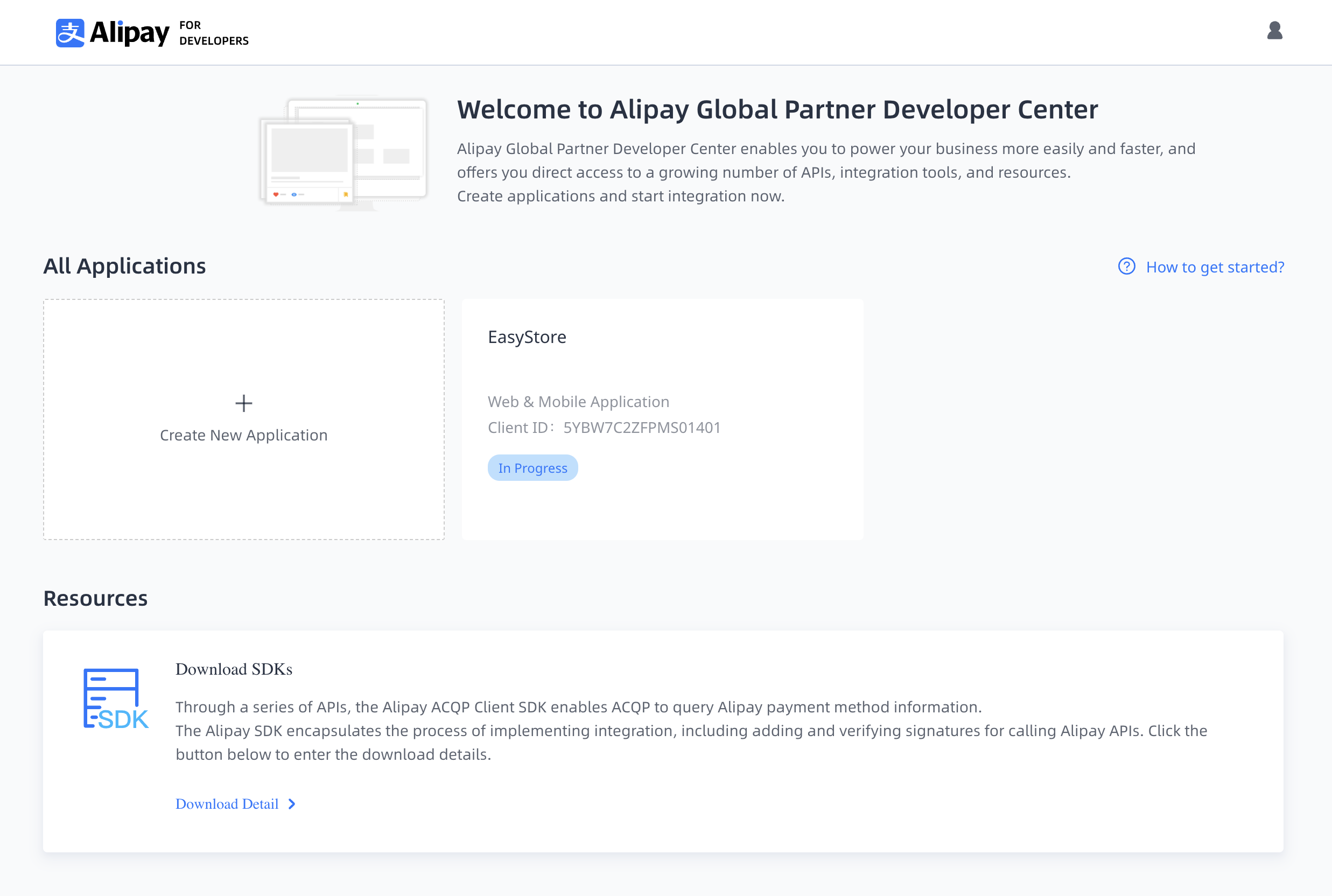
Step 5: Navigate to the Integration Settings and you’ll get the Client ID here.
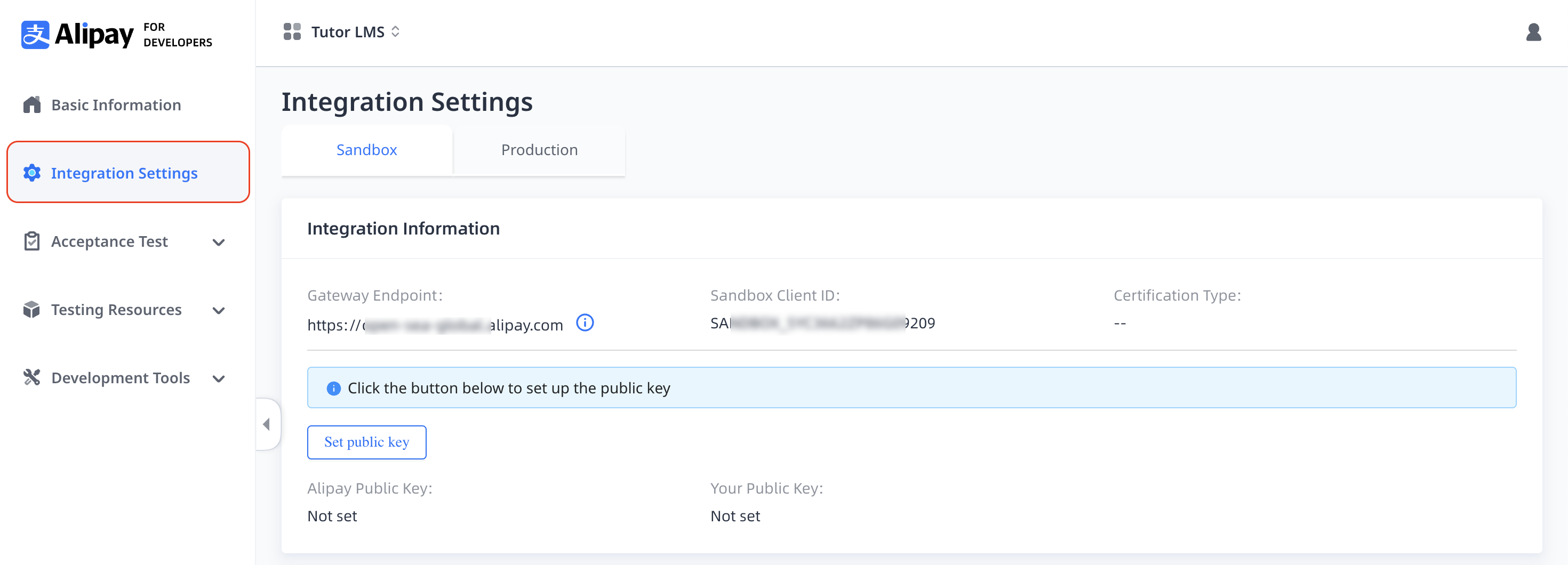
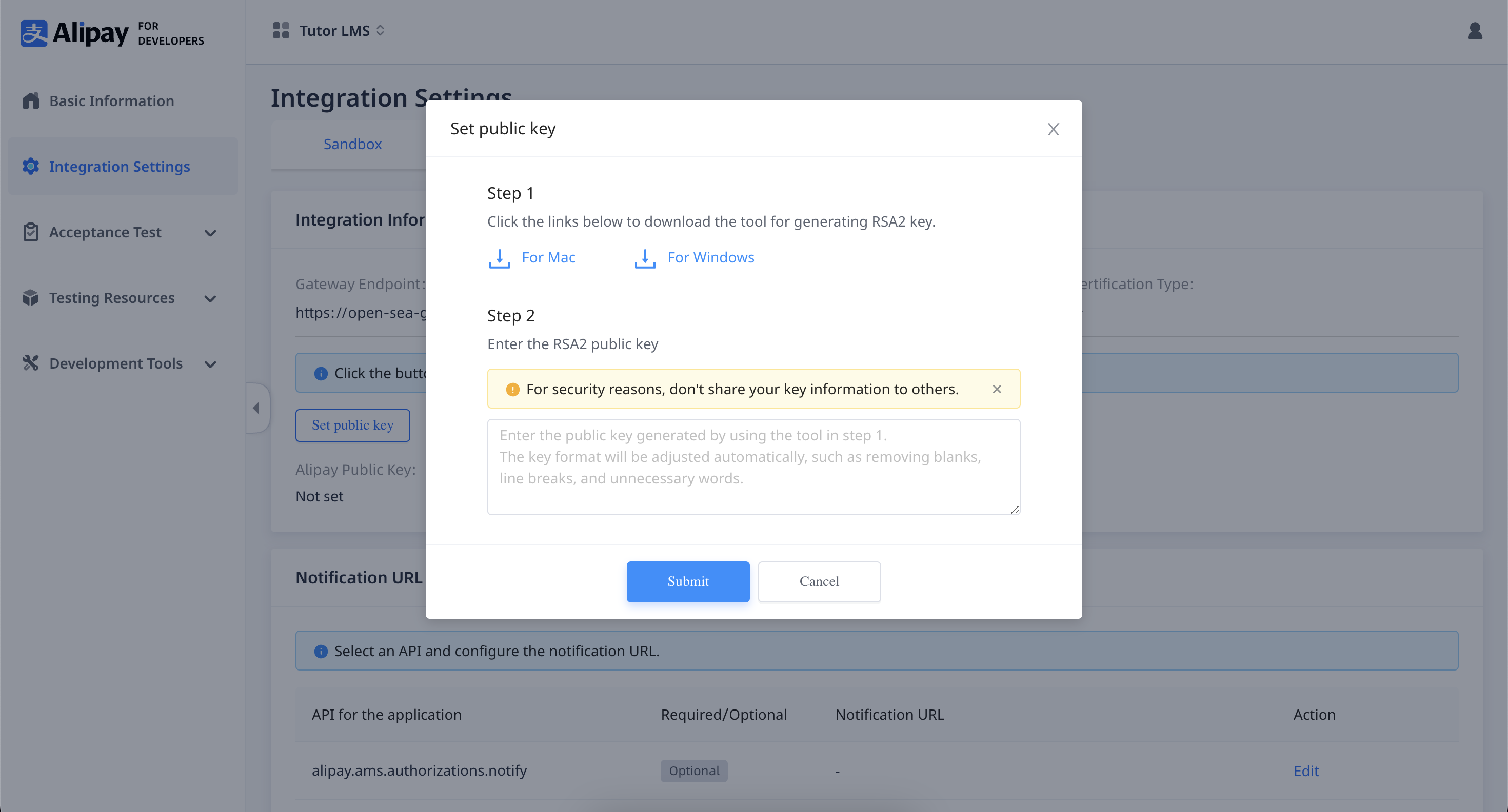
Step 6: Click on the Set public key button, and you’ll get a popup window to download the tool for generating the RSA2 key. Download the plugin based on your operating system.
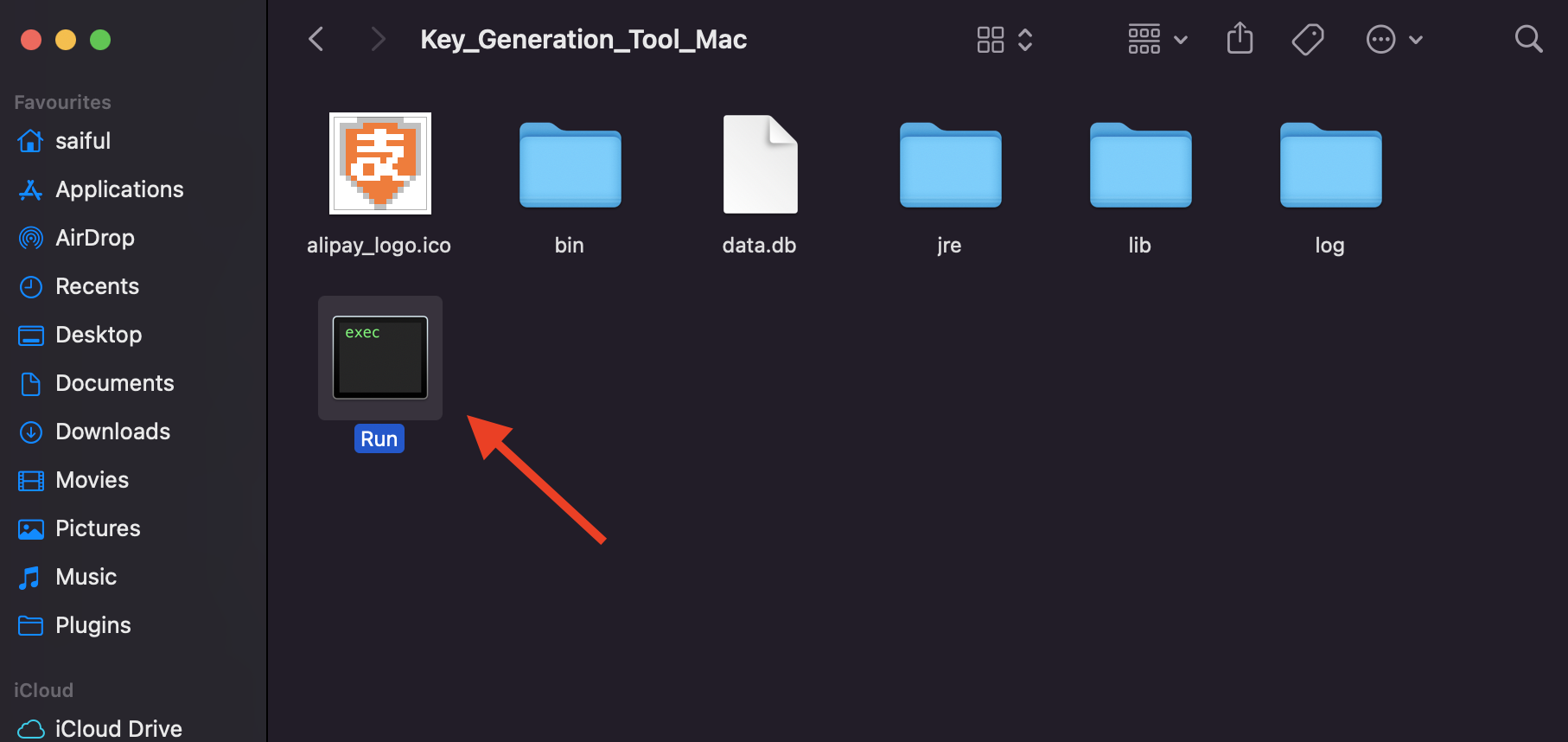
Step 7: Once downloaded, extract the Key Generation Tool folder and locate and execute the “Run” file.
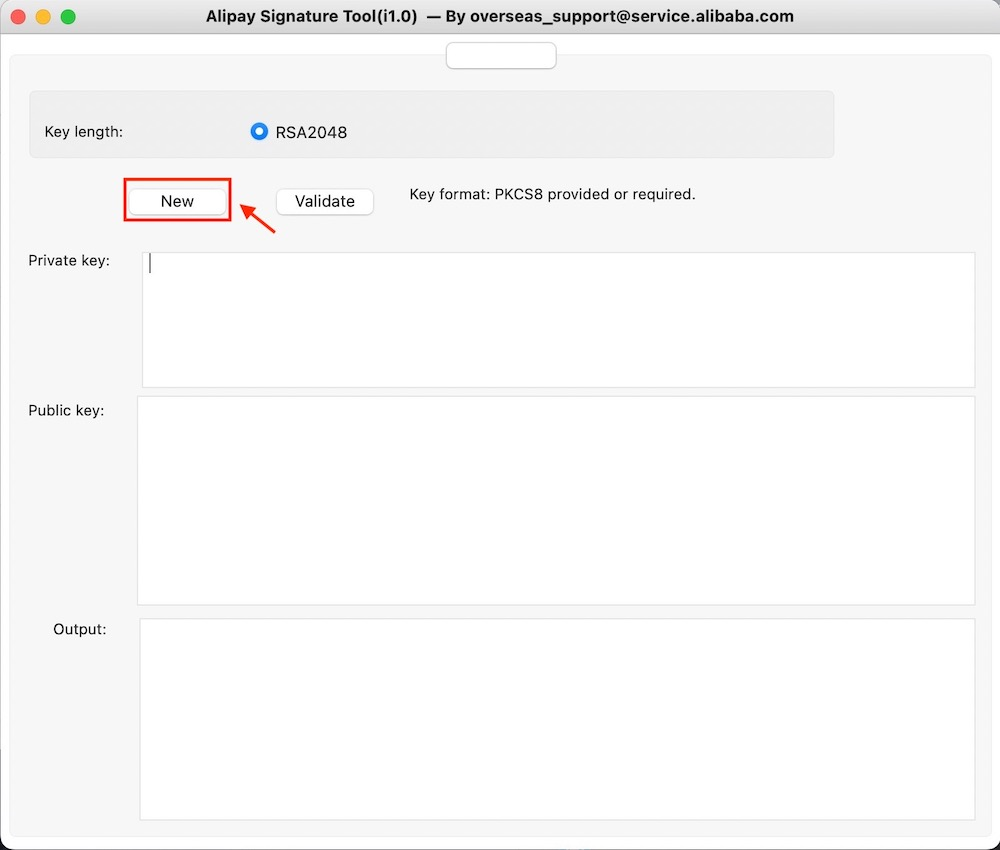
Step 8: Click on the “New” button to obtain the Private and Public Key. Use this private key to integrate the Alipay payment gateway into Tutor LMS.
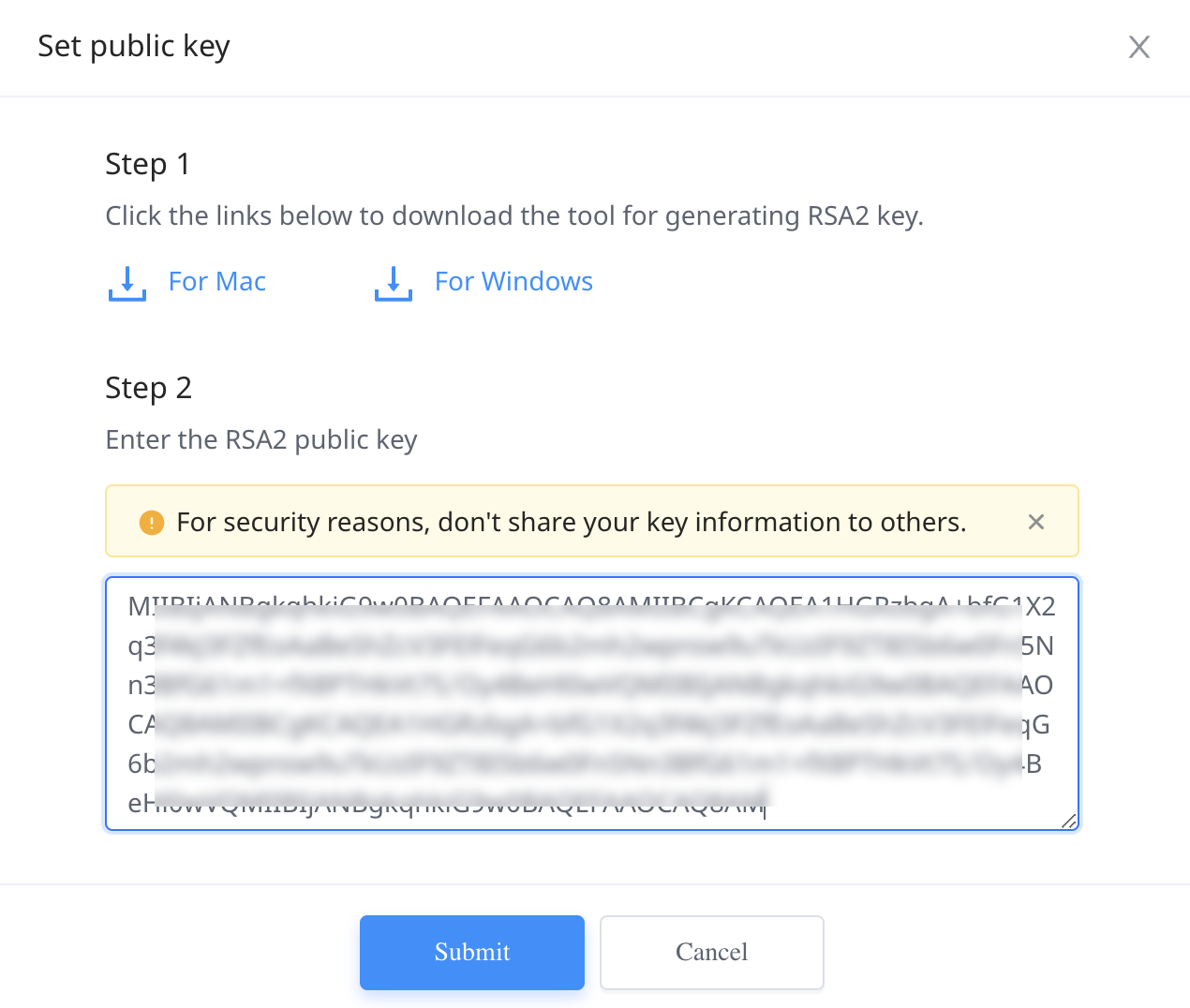
Step 9: Now copy the Public Key generated in your Signature tool and return to the Alipay Application dashboard. Click on the “Set Public Key” button again. Paste the copied key and hit the “Submit” button.
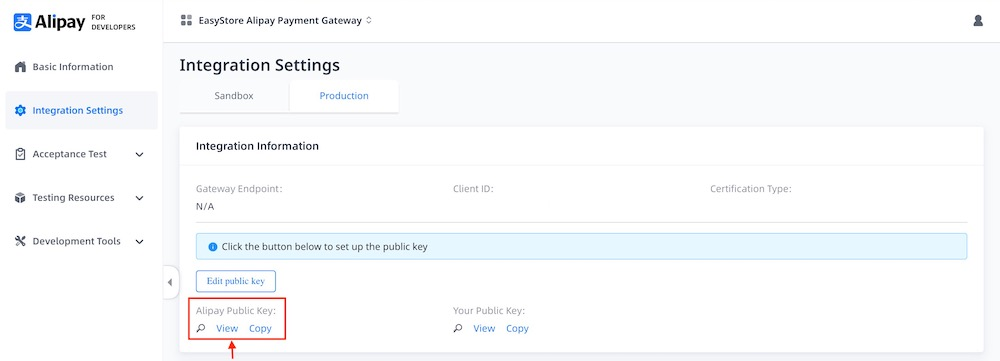
Step 10: Now click on the “View” button to view and copy your Alipay Public Key. This Alipay Public Key should be pasted onto the Tutor LMS integration page.
Users who have an account with the Antom payment solution can refer to the Antom documentation for instructions on getting their Client ID, Private Key, and Alipay Public Key.
Configuring Alipay Settings in Tutor LMS
Now, navigate to the Alipay configuration section and follow the steps below:
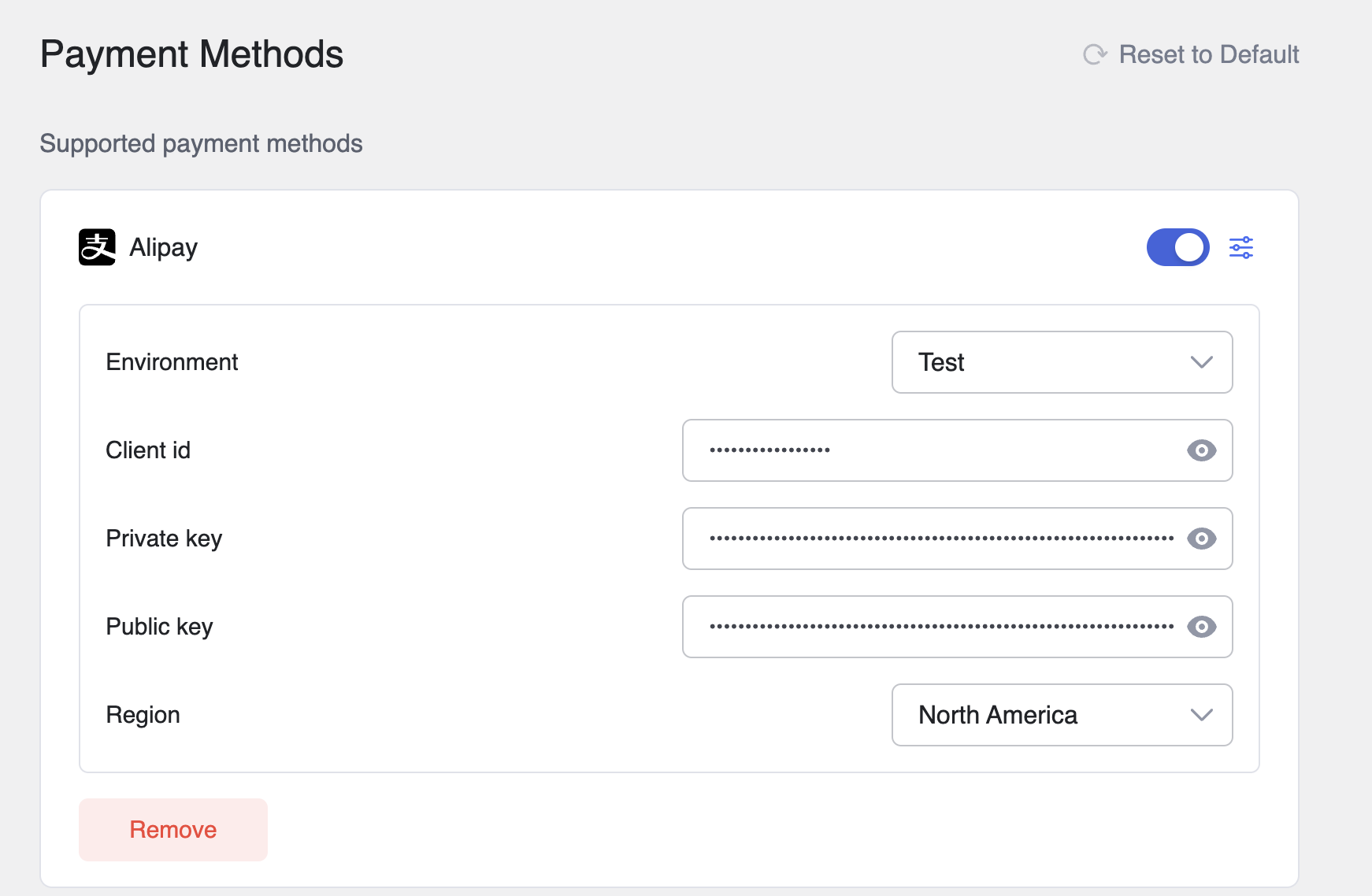
- Choose between Test or Live Environment, depending on whether you want to process real transactions or run test payments.
- Paste the Alipay Client ID, Public key, and Private key in the input field.
- Click Save Changes to finalize your Alipay integration.
That’s how you can seamlessly integrate Alipay into your Tutor LMS platform.
| Brand | Tutor LMS |
|---|---|
| License Type | GPL License |
| Activation | Pre-activated |
You must be logged in to post a review.
🔥 Black Friday Sale
Use the coupon code BLACK50 for an instant 50% discount on all items, including the Lifetime Membership.
The offer applies to all items, including Themes, Plugins, Membership Plans, Exclusive, and Lifetime Deals.
Offer valid till 30th November.
About Tutor Pro Alipay Addon GPL
Tutor Pro Alipay Addon GPL is listed under WP GPL Plugins on Real GPL. Files are original and unmodified; members receive updates for the period of their plan. Yes. Downloads from your membership can be used on unlimited personal and client websites.
- Product
- Tutor Pro Alipay Addon GPL
- Version
- 1.0.0
- Category
- WP GPL Plugins
- License
- GPL (original files)
- Last updated
- May 1, 2026
Frequently asked questions
Is the Tutor Pro Alipay Addon GPL download original?
Yes. Files are 100% original and unmodified, with no malware.
How do I get Tutor Pro Alipay Addon GPL?
Choose a membership plan or the product option on this page, complete checkout, then download instantly from your account.
How often is Tutor Pro Alipay Addon GPL updated?
Last updated on Real GPL: May 1, 2026. New versions are added as the developer releases them, and members receive updates for the period of their plan.
Can I use Tutor Pro Alipay Addon GPL on more than one website?
Yes. Downloads from your membership can be used on unlimited personal and client websites.
Where can I get help with Tutor Pro Alipay Addon GPL?
Our support team helps by email and support tickets.
More WP GPL Plugins
- GamiPress Activated Core GPL v8.1.8 | The easiest way to gamify your WP website
- Download Monitor Base GPL v5.3.10 | Core Plugin | Activated
- AI Puffer Pro GPL v2.5.32 | Complete AI Pack for WordPress | Formerly AI Power
- WPC Added To Cart Notification GPL v3.3.1 – for WooCommerce
- Cool Timeline Pro GPL v8.0.5 – Timeline Plugin
- WP Eventin Pro GPL v4.1.24 – Event Manager, Event Calendar, Event Tickets for WooCommerce
Get Original Lifetime & Exclusive Themes & Plugins Licenses
Premium original licenses for popular WordPress themes, plugins and website-building tools — available at exclusive prices.
Best Selling Original Licenses
Elementor Addons
Trending
And more fabulous deals — check the complete list of original licenses here

Reviews
Clear filtersThere are no reviews yet.