
YITH WooCommerce Color and Label Variations Premium GPL v3.18.0
Sale
41
Items sold in last 3 days
14
People watching this product now!
Original price was: 64.36$.3.28$Current price is: 3.28$.
YITH WooCommerce Color and Label Variations Premium GPL – YITH WooCommerce Color and Label Variations allows you to replace standard WooCommerce selects with icons, custom images and dynamic labels.
- Unlimited Website Usage – Personal & Clients
- Original GPL Product From the Developer
- Quick help through Email & Support Tickets
- Get Regular Updates For 1 Year
- Last Updated –
- Developer Live Preview
- Get this Product for Free in the Membership
Description
YITH WooCommerce Color and Label Variations Premium GPL Overview
How you can benefit from it:
- offer a clear overview of the options available in your products and improve the user experience in your shop;
- replace the WooCommerce variations selector with a functional and modern design;
- show available colors, materials, and textures by using color swatches or ad hoc images;
- choose whether to show product options also on the Shop page or make them available only on the product detail page;
- show an image gallery for each of your product variations and enhance available colors and styles for each of them.
The functional and captivating solution to show the options available (color, size, material, etc.) in your products
If you sell products with several options, such as the classic “size” and “color,” you may have realized that the solution WooCommerce offers by default — showing the options as text lists in drop-down menus — is neither effective nor usable. Imagine how frustrating users may feel when they want to see the colors available for a T-shirt and find a list of written colors without any color swatch to get a visual preview.
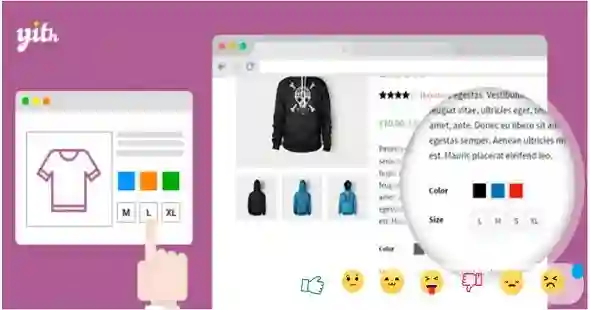
YITH Color, Image & Label Variation Swatches for WooCommerce allows you to replace the standard WooCommerce drop-down list with icons, custom images, and dynamic labels.
The plugin is extremely versatile and adapts to any product, from clothing (to set the sizes, colors, fabric, etc.) to jewelry (to show advanced options such as gemstone shape, necklace length, ring size, etc.).
Regardless of what you sell, by showing your product options through images, color swatches, and ad hoc icons, your customers will understand the purchase options available for that product as soon as they visit the page. Usability and aesthetics will make it easier for your customers to choose the products to buy and will ensure a positive buying experience.
Choose where to show the available options for your products
Choose whether to show product options only on the product detail page or on the Shop and category pages too.
By showing the available options also on the standard WooCommerce pages, your users will be able to quickly see the available sizes, colors, etc., and speed up the selection and purchase process.
Choose which attributes to display on the Shop and category pages
If the items you sell have too many attributes, you may want to show only some of them on the Shop page; for instance, you may want to show available colors and/or patterns, but not sizes.
Thanks to the dedicated option, you can choose which attributes to show on the Shop page and on category pages, and make sure that the other attributes are only visible on the product detail page.
Replace WooCommerce drop-down list by choosing from 3 different option styles
For each attribute you create, you can choose to replace the default WooCommerce drop-down list: the plugin offers color swatches, images, and label options.
The final result, with just a few clicks, combines ease of use with great aesthetics, which fits any theme you use for your shop.
Use color swatches to show the available colors
The most interesting option in this plugin is the one that allows you to create color swatches to show what colors are available for a product. You can create global color options, assign them to products and, if needed, override them in each product. In this way, for example, you can globally create the color “yellow” with the RGB code and set different shades of the same color in the products of your shop, so that the color swatches accurately show the actual colors.
Use bicolor swatches for greater versatility
You can create color swatches with only one color or use the “bicolor” option to create samples with two colors. This option is useful if you sell products that have two dominant colors and you want to consistently show them to your users.
Use custom labels to best show text options
For options such as sizes or materials, which need to be entered as text, you can use the “label” option. Text will be inserted into buttons and shown next to each other.
Use custom images and icons for a user-friendly and captivating result
The “image” option is the perfect fit to cover every need. You can upload fabric or pattern samples, icons, or even photos to show any option and provide immediate feedback to users.
Create a variation product gallery to highlight different colors or styles of the same product
If you have product variations you can easily setup a variation product gallery to highlight colors or models available. To sell products available in different colors, you can for example create a dedicated image gallery for each color.
Enable a tooltip with text and a preview to provide an immediate feedback
Choose whether to show a tooltip when hovering over the options to display the option name (e.g., the name of the color or style). In the tooltip, you can also choose whether to show a preview of the option: in this way, you can show, for example, a preview of the “blue” sweatshirt when the user hovers over the blue color sample.
Change the attributes’ global options in specific products
Thanks to the new options added, it is now possible to change the style of the attributes for each product. This allows you to quickly set a different color shade in a specific product with just two clicks and without changing the color attributes globally configured. This is a time and effort-saving feature that allows versatile management of large product catalogs.
Allow editing attributes on the Cart page
A feature that can enhance your customers’ shopping experience is definitely the option to edit a product attributes right from the shopping cart.
By enabling this option, users who want to change the size or color of the products added to the cart can do so with a single click through a modal window. No need for them to remove the product from the cart, go back to the product page, and select all the attributes again.
Remember: keeping customers engaged and within the purchase process is critical to significantly reducing shopping cart abandonment.
Additional information
| Brand | YITH WooCommerce |
|---|---|
| License Type | GPL License |
| Activation | Pre-activated |
Reviews (0)
You must be logged in to post a review.
Notes
Please unzip the downloaded file to get the right installable file
Coupon


Reviews
Clear filtersThere are no reviews yet.