
Tutor Pro Paystack Addon GPL v1.0.0
Sale

30
Items sold in last 3 days
20
People watching this product now!
Original price was: 71.51$.3.28$Current price is: 3.28$.
Tutor Pro Paystack Addon GPL – Paystack is one of the most popular payment gateways in Africa. With Paystack, you can process payments through cards, bank transfers, USSD, and mobile money options.
- Use on Unlimited Website – Personal or Clients
- Original Product From the Developer
- Quick help through Email & Support Tickets
- Get Regular Updates For 1 Year
- Last Updated –
- Developer Live Preview
- Get this Product for Free in All Memberships
Description
Tutor Pro Paystack Addon GPL Overview
Paystack is one of the most popular payment gateways in Africa. With Paystack, you can process payments through cards, bank transfers, USSD, and mobile money options.
Before starting, ensure that Paystack supports your region and currency.
Adding Paystack as a Payment Option
Access the Payment Methods:
- Log in to your Tutor LMS Dashboard.
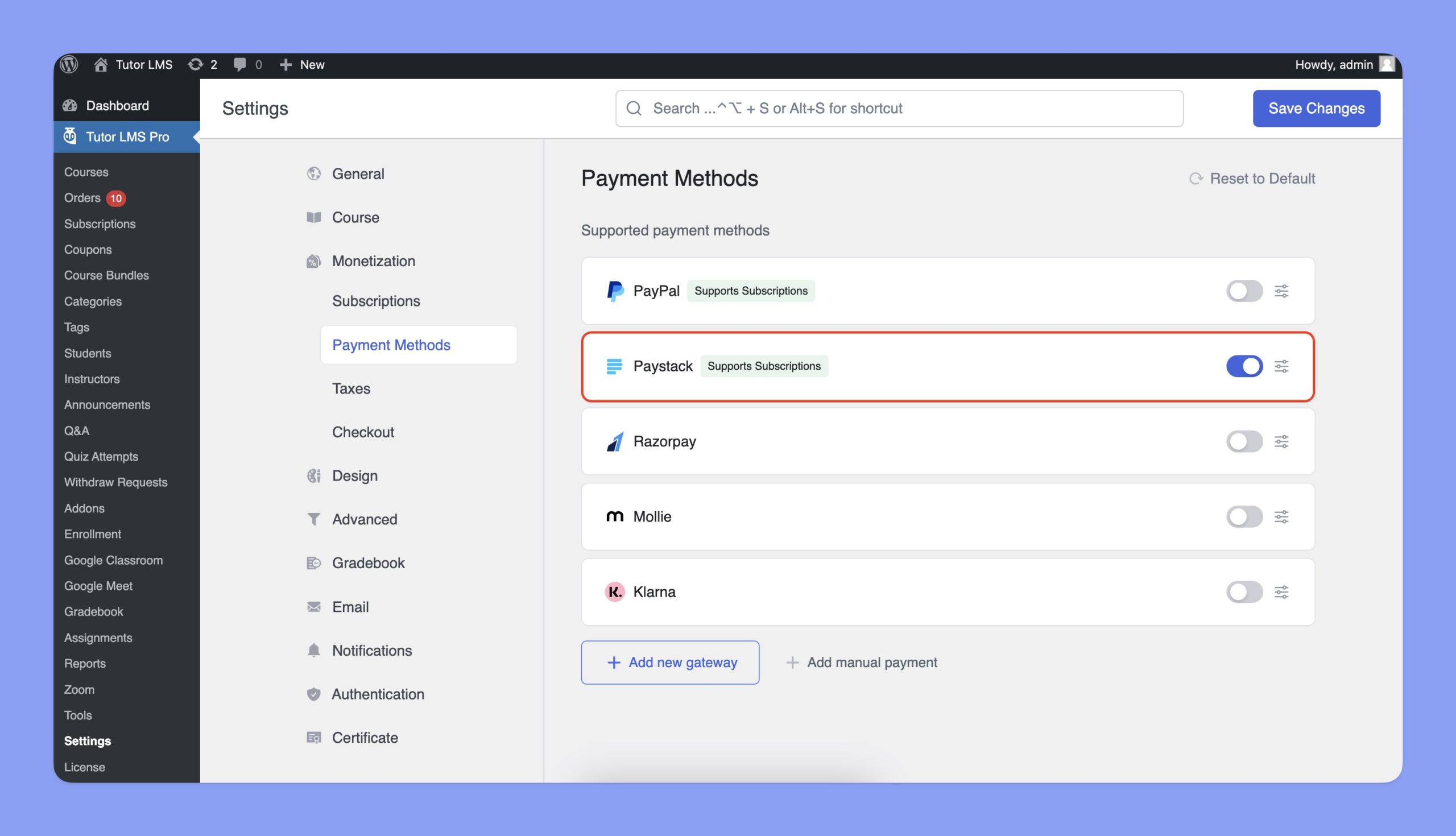
- Navigate to Settings > Monetization > Payment Methods.
Add Paystack:
- Click the Add new gateway button.
- From the list of available payment methods, select Paystack and click the Install button.
- Once installed, Paystack will appear as one of your payment options.
Configuring Paystack Integration
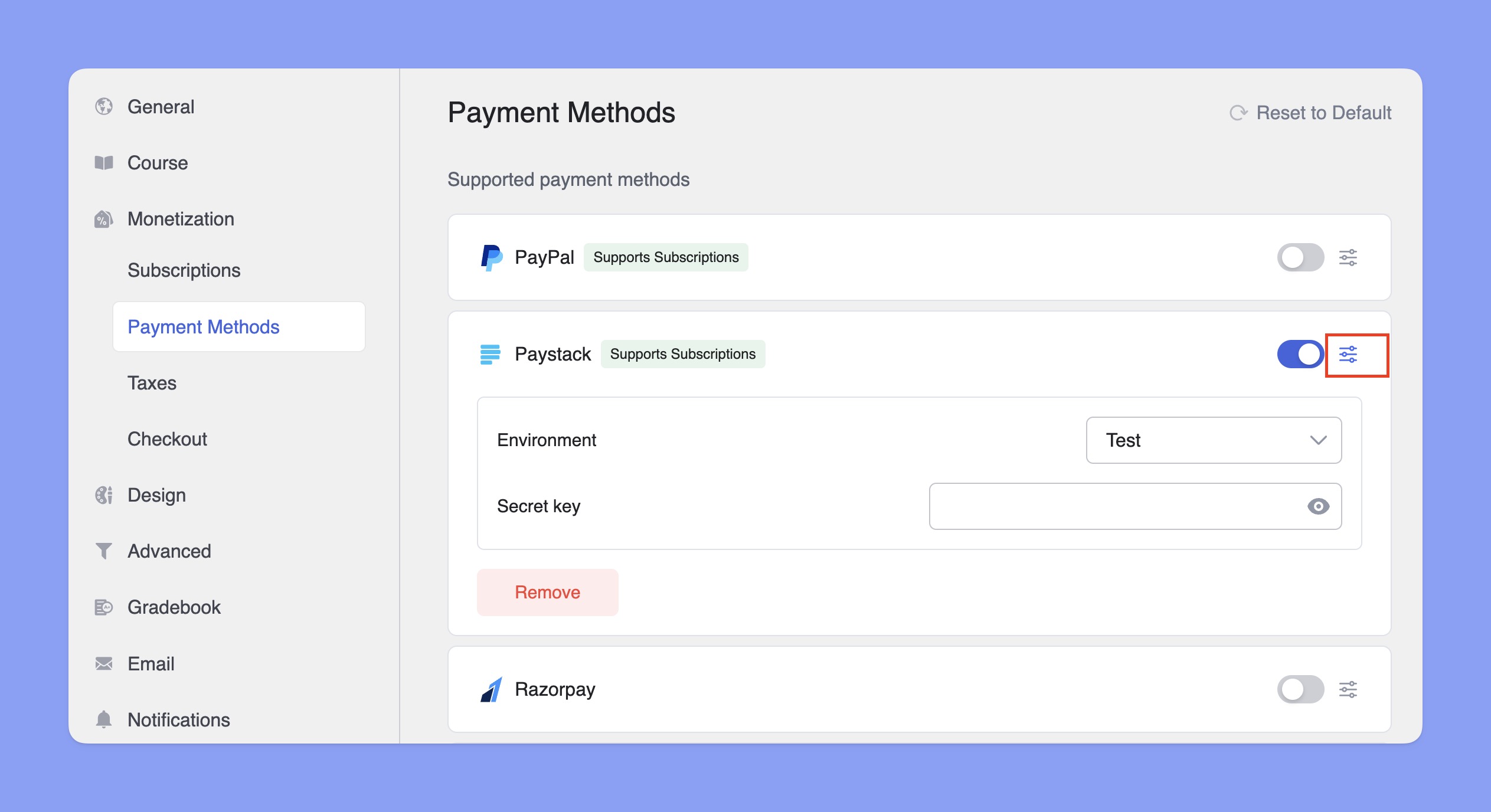
In the Payment Methods section, toggle the switch to enable Paystack for checkout. Then, click the Setup icon next to Paystack to expand the settings. Here, you can select the Environment and enter your Secret key.
How to get Paystack’s Secret Key?
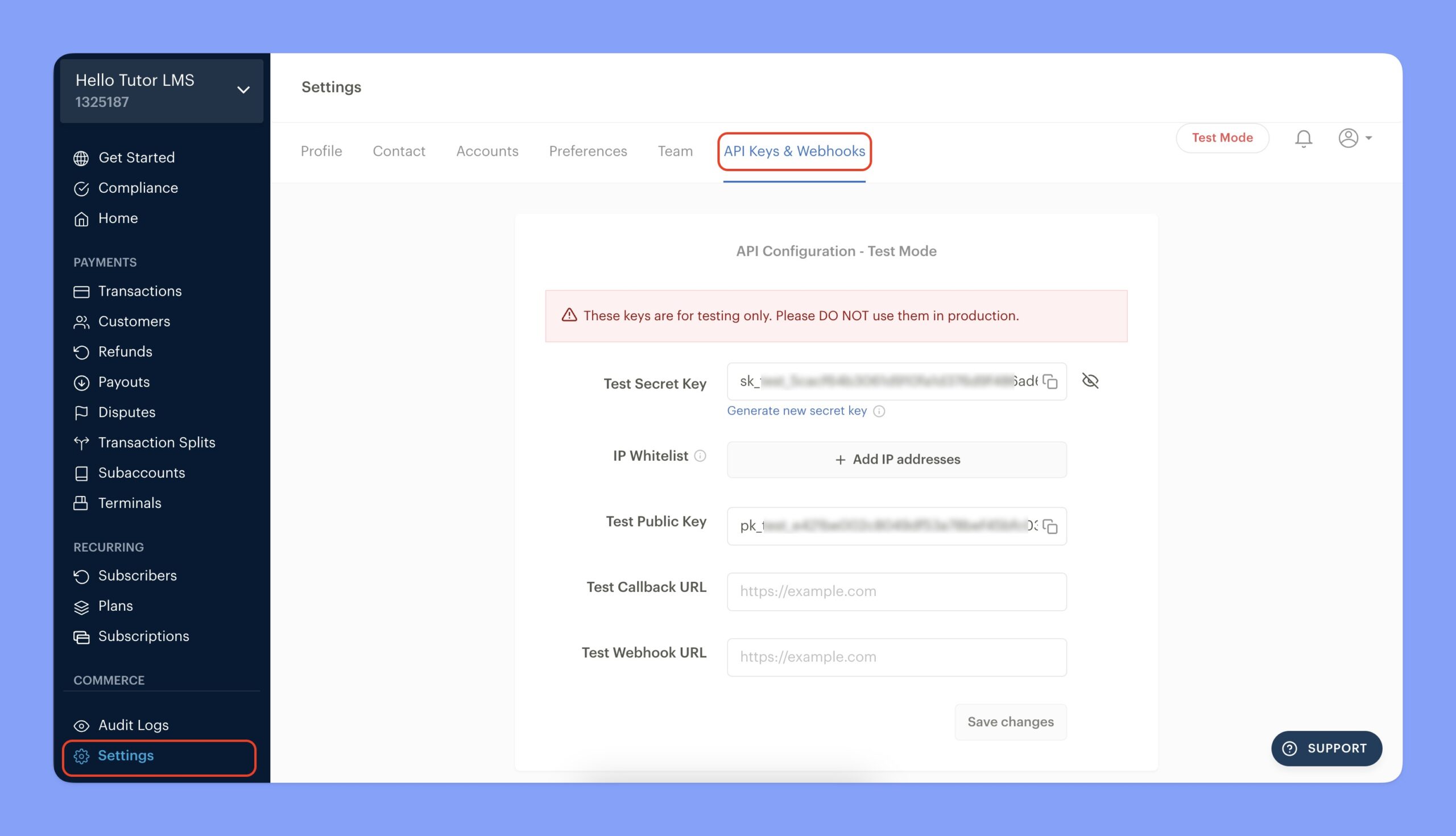
You’ll need Paystack’s Secret Key to integrate it with Tutor LMS. Here are the steps to get that:
- Login to your Paystack dashboard.
- Navigate to Settings > API Keys & Webhooks tab.
- Input the Webhook URL of your website. The Webhook URL will be:
https://yourwebsite.com/wp-json/tutor/v1/ecommerce-webhook?payment_method=paystack
Here, you have to replace yourwebsite.com with your domain name. - Click on the Save changes button.
- Finally, copy the Secret Key for integration purposes.
Configuring Paystack Settings in Tutor LMS
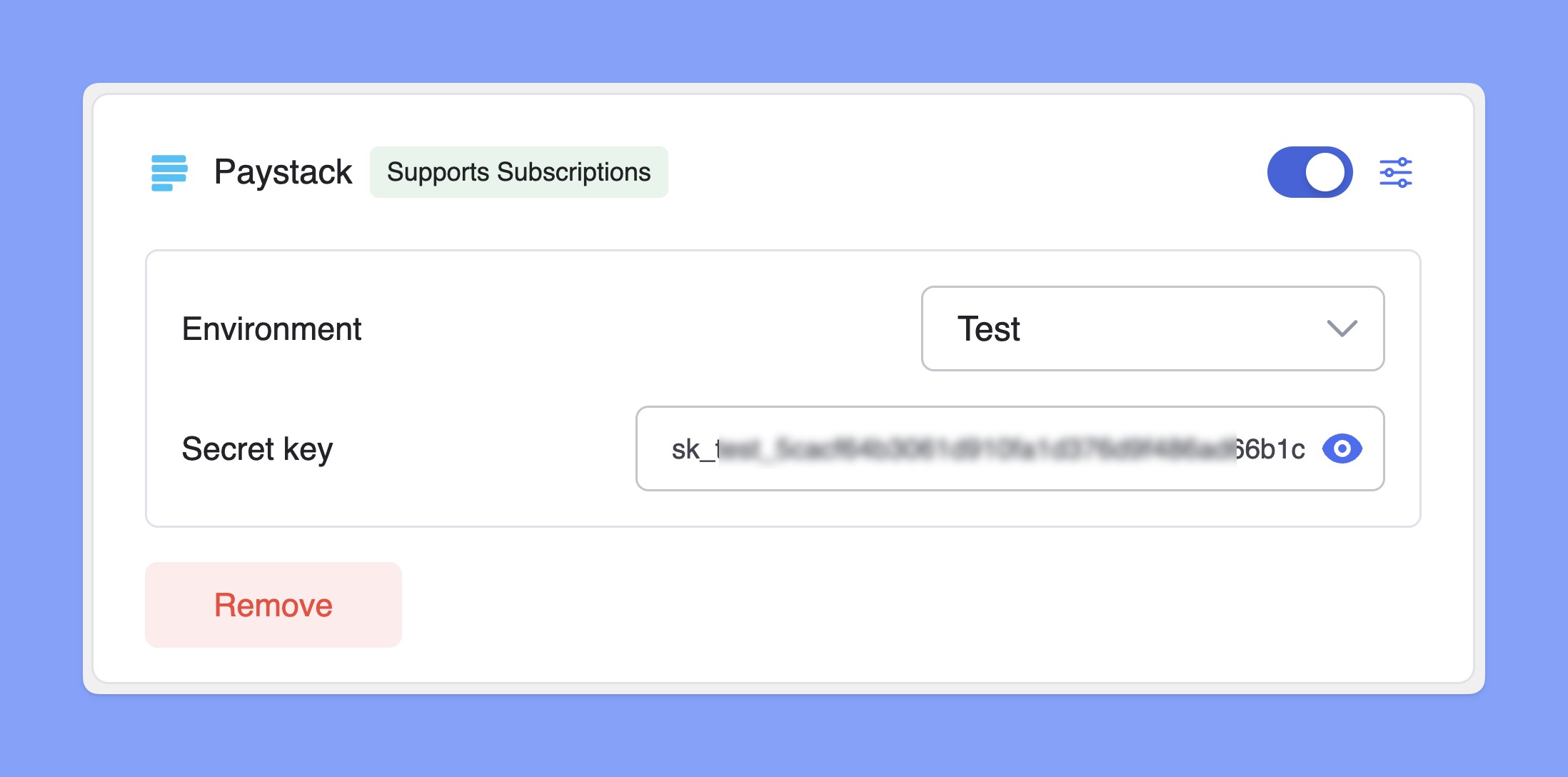
Now, navigate to the Paystack configuration section and follow the steps below:
- Choose between Test or Live Environment, depending on whether you want to process real transactions or run test payments.
- Paste the Paystack Secret key in the input field.
- Click Save Changes to finalize your Paystack integration.
Additional information
| Brand | Tutor LMS |
|---|---|
| License Type | GPL License |
| Activation | Pre-activated |
Reviews (0)
You must be logged in to post a review.
Coupon


Reviews
Clear filtersThere are no reviews yet.