
Tutor Pro Authorizenet Addon GPL v1.0.2

Original price was: 71.51$.3.28$Current price is: 3.28$.
Tutor Pro Authorizenet Addon GPL – Authorize.Net, a subsidiary of Visa, is a reliable and widely used payment gateway. With Authorize.Net, you can process payments securely using credit cards, eChecks, and other options.
- Use on Unlimited Website – Personal or Clients
- Original Product From the Developer
- Quick help through Email & Support Tickets
- Get Regular Updates For 1 Year
- Last Updated –
- Developer Live Preview
- Get this Product for Free in All Memberships
Tutor Pro Authorizenet Addon GPL Overview
Authorize.Net, a subsidiary of Visa, is a reliable and widely used payment gateway. With Authorize.Net, you can process payments securely using credit cards, eChecks, and other options. Now, you can seamlessly integrate Authorize.net and take payments for your eLearning website.
Before proceeding, make sure that Authorize.Net supports your region and currency.
Adding Authorize.net as a Payment Option
Follow the steps below to add Authorize.net payment gateway in your Tutor LMS website:
- Log in to your Tutor LMS Dashboard.
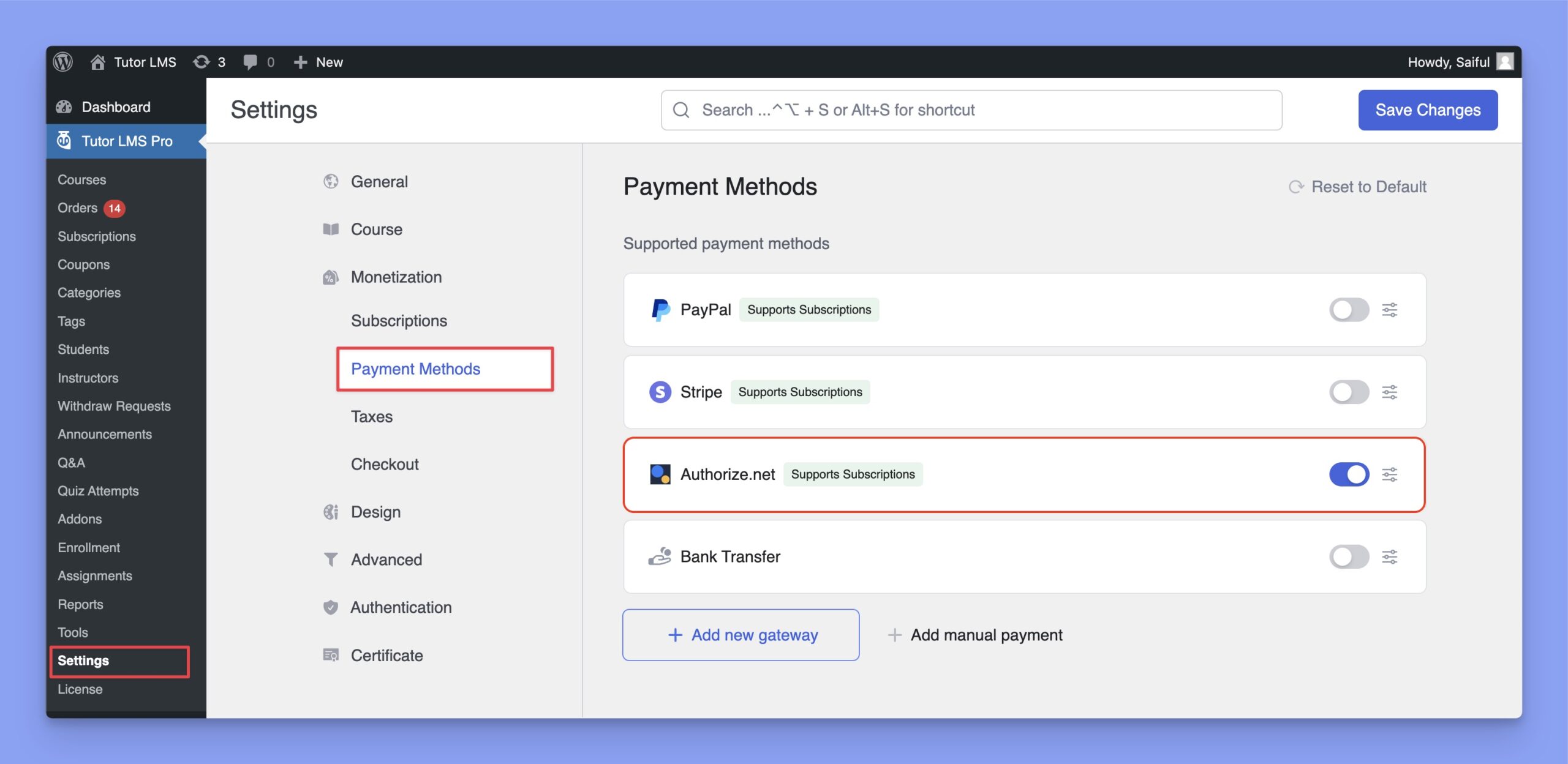
- Navigate to Settings > Monetization > Payment Methods.
- Click on the Add new gateway button.
- From the list of available payment methods, select Authorize.net and click the Install button.
- Once installed, Authorize.net will appear as one of your payment options.
Configuring Authorize.net Integration
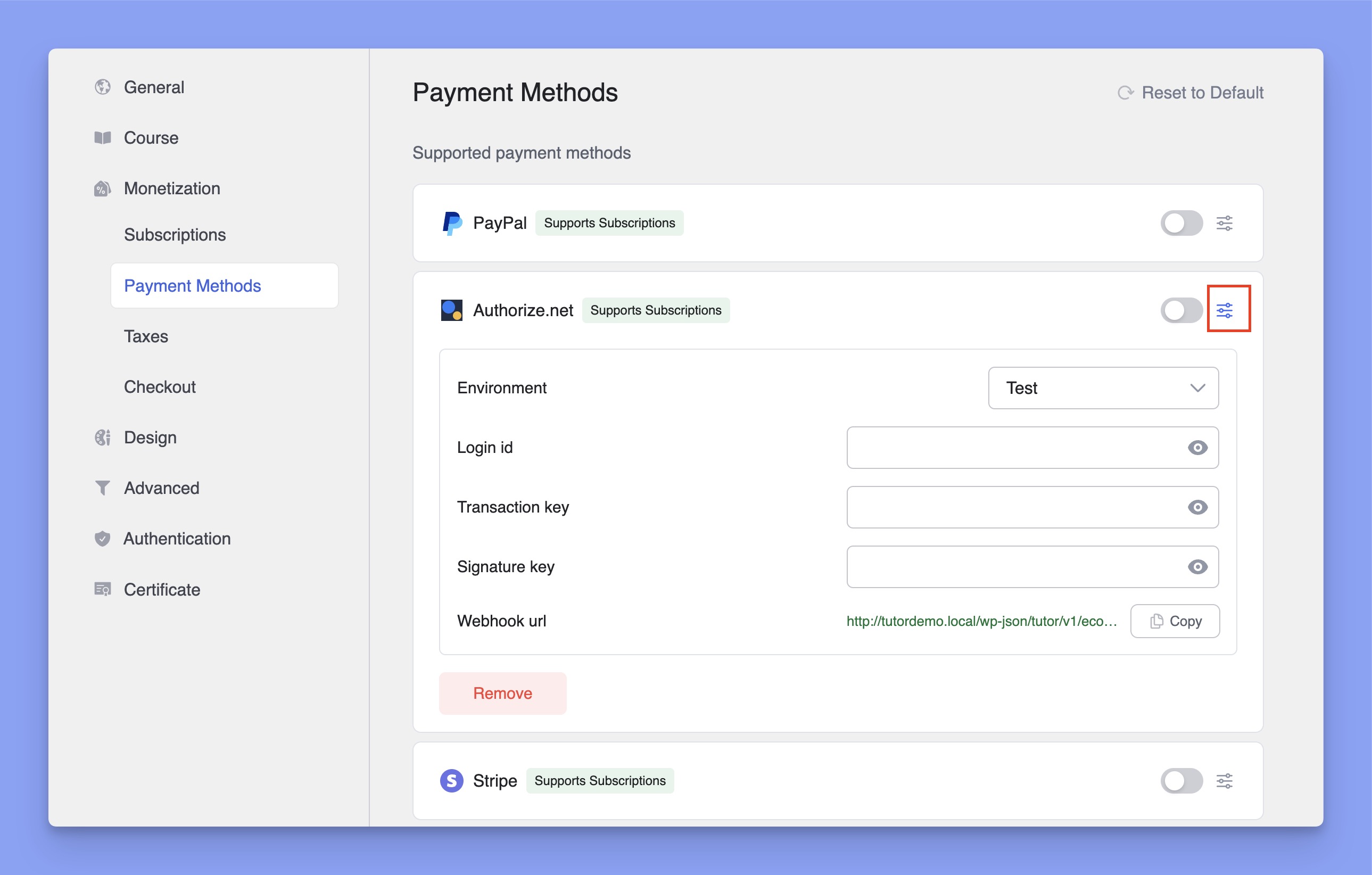
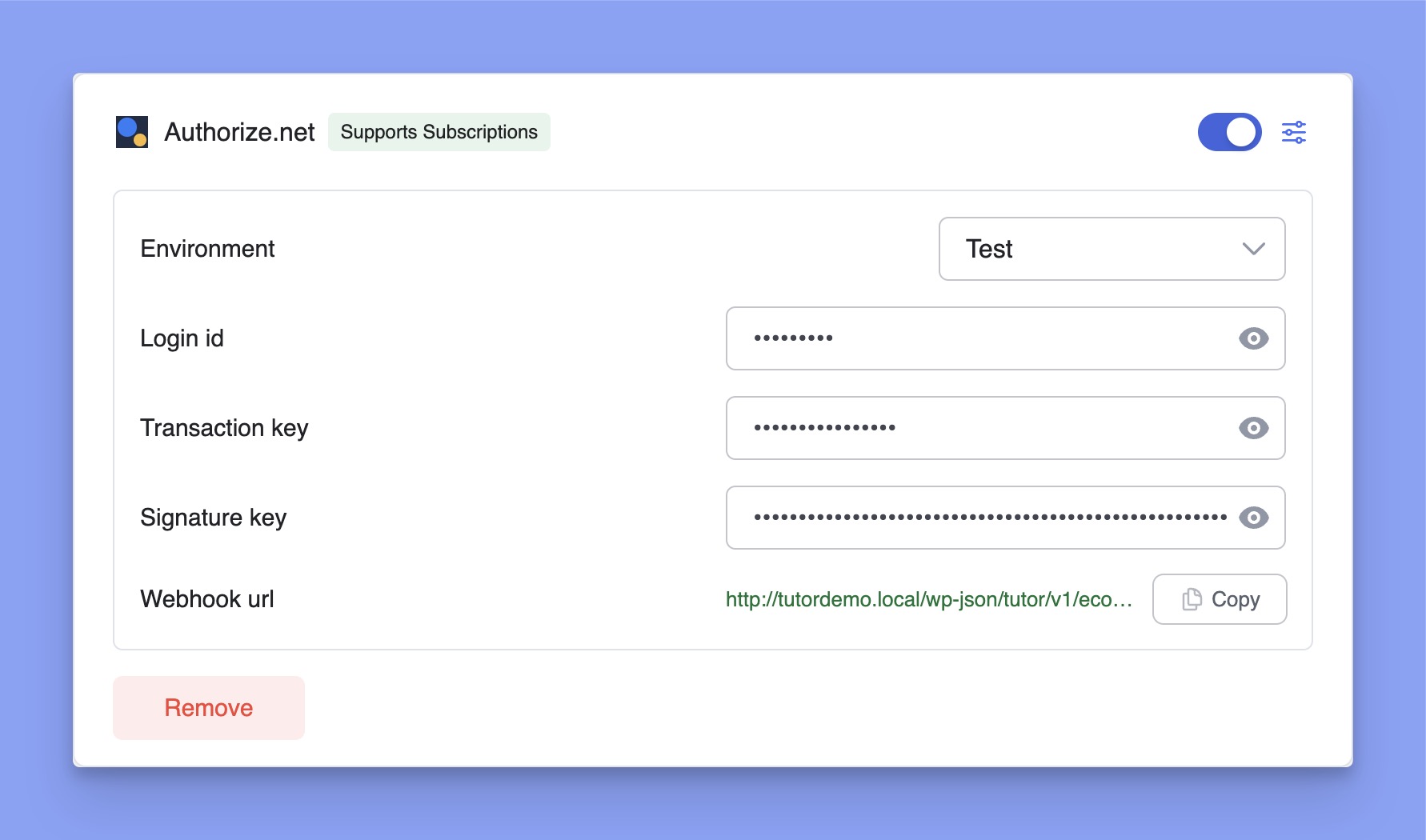
In the Payment Methods section, click the Setup icon next to Authorize.net to expand the settings. Here, you have to select the Environment, Login ID, Transaction key, and Signature key.
How to get Authorize.net Login ID and Keys?
To use Authorize.net on your Tutor LMS website, you’ll need the Login ID, Transaction key, and Signature key. Here’s the step-by-step process to get that.
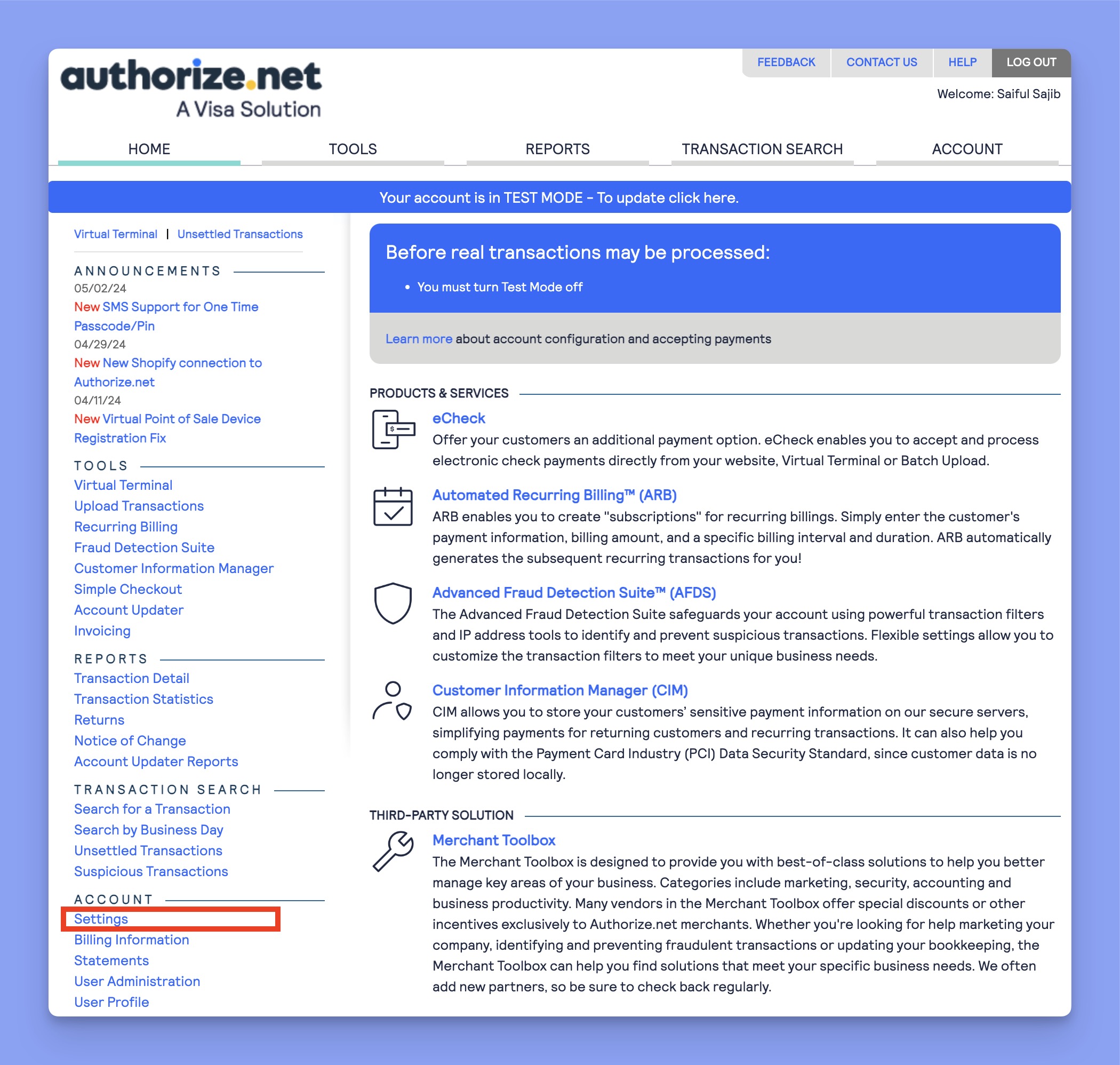
- Login to your Authorize.net account.
- Navigate to Account > Settings.
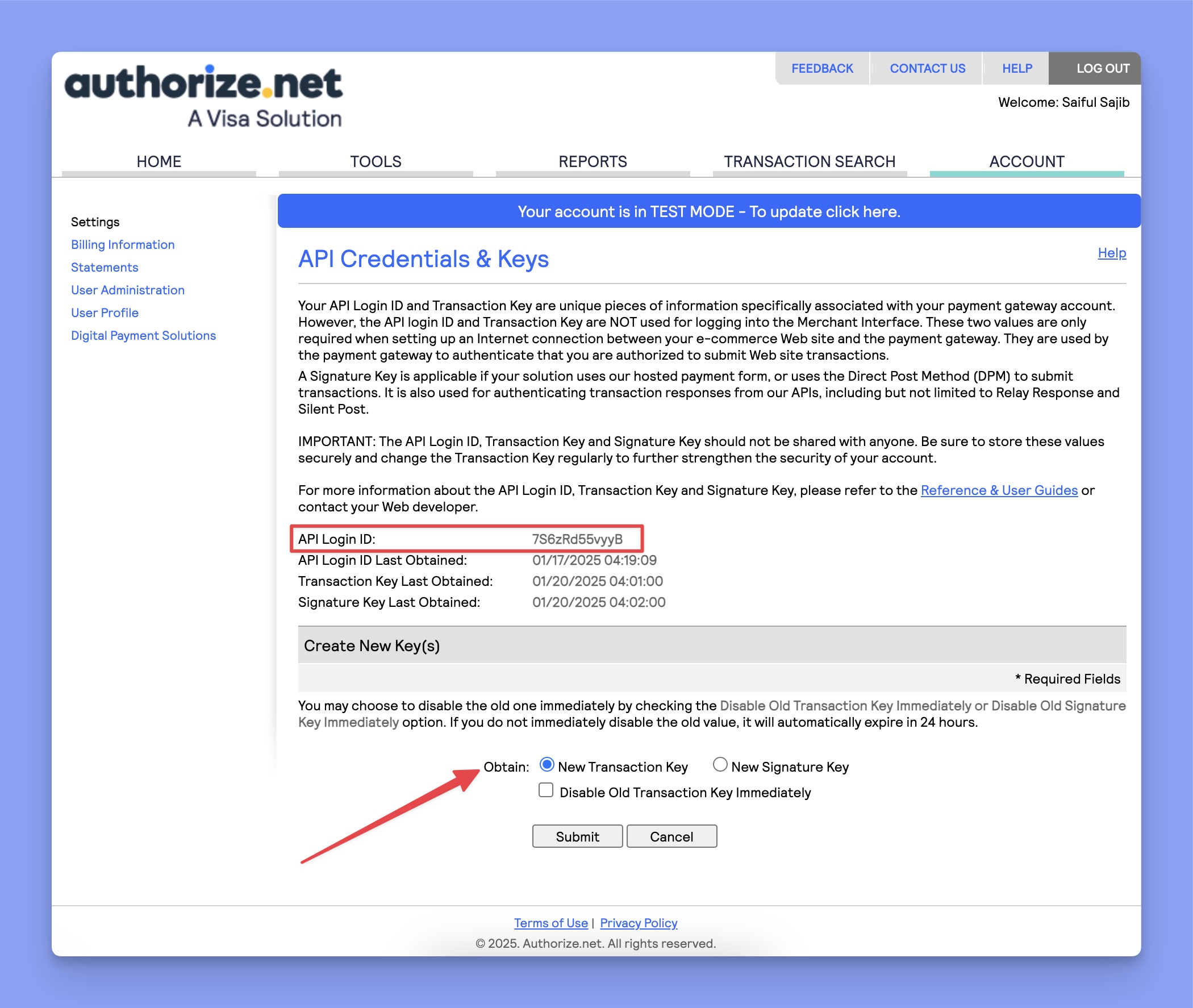
- Navigate to API Credentials & Keys under the Security Settings section.
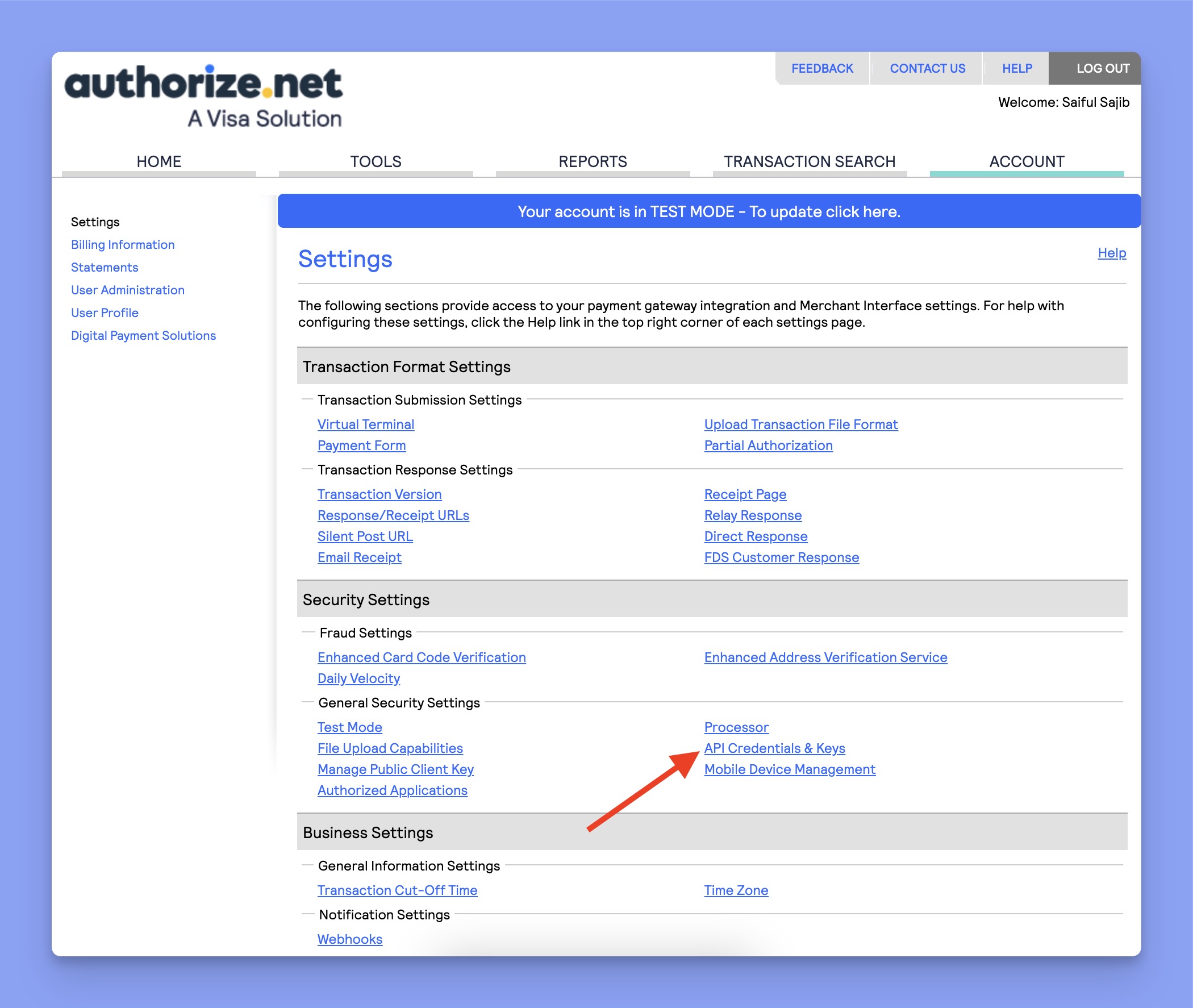
- You’ll get the Login ID in this section. To generate the Transaction Key and Signature Key, select the appropriate radio button and click Submit.
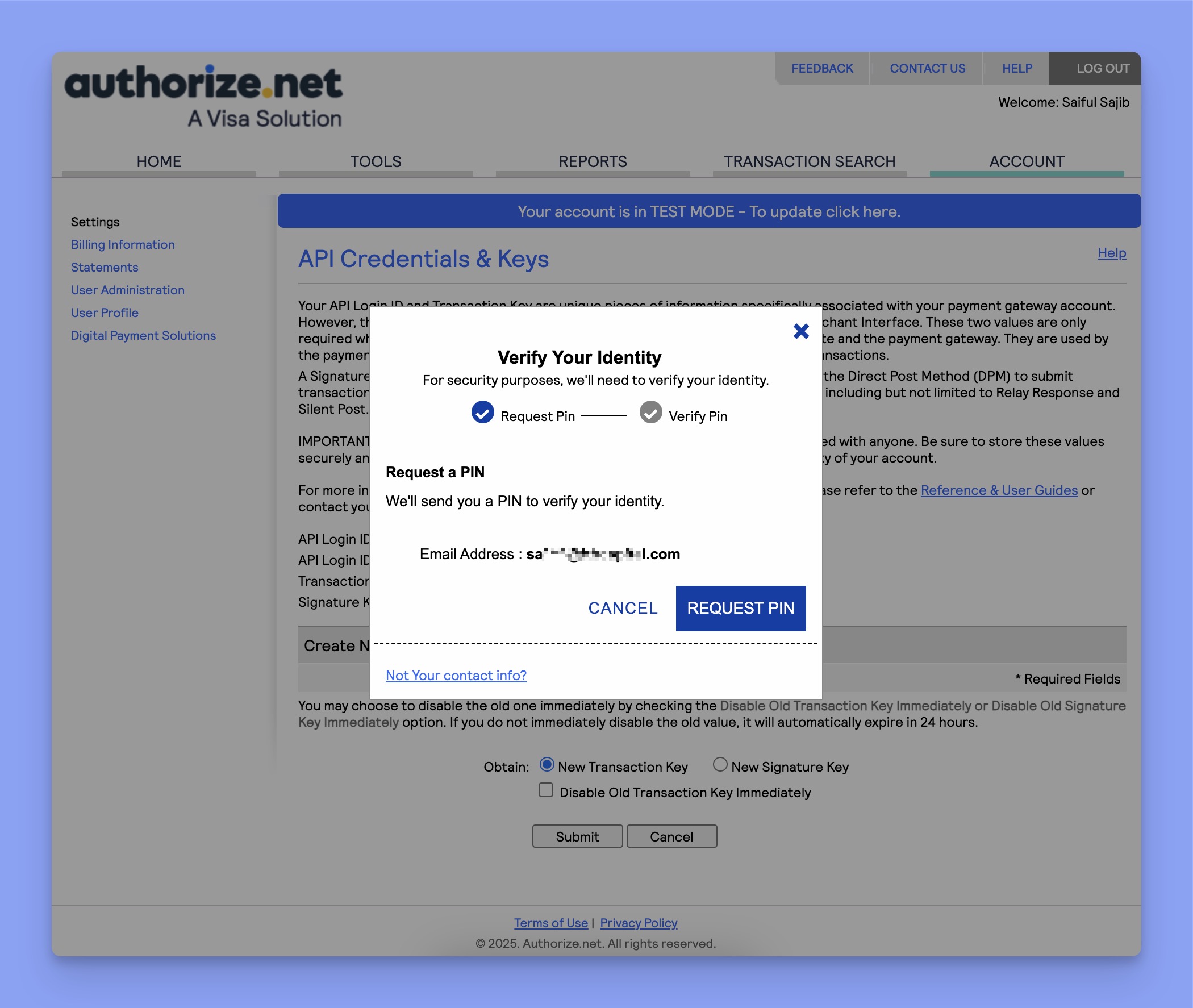
- Now, you need to verify your email again by entering a PIN.
- Once verified, the Transaction Key will appear on the screen. Make sure to copy it.
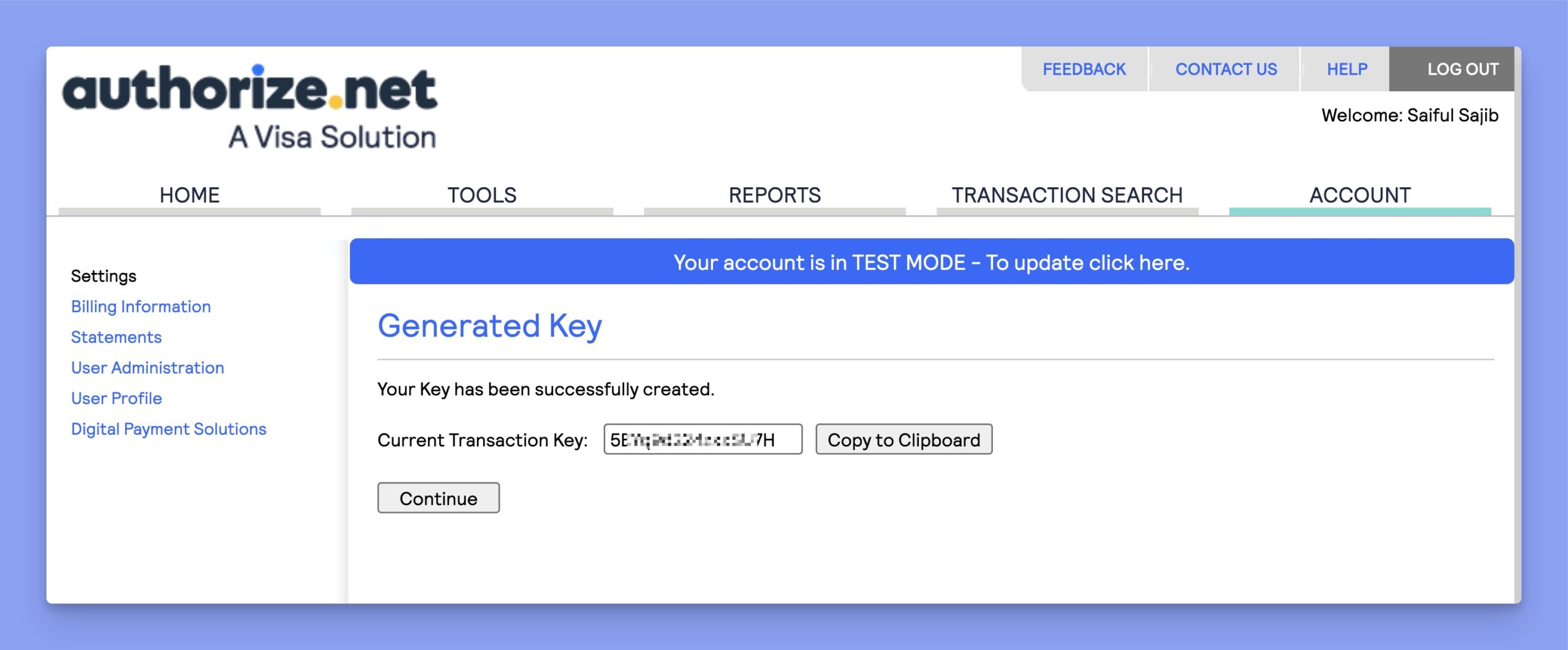
Repeat the same process to generate a signature key and copy that too.
- Now, you have to add the Endpoint URL. To do so, navigate to Account > Business Settings > Webhooks.
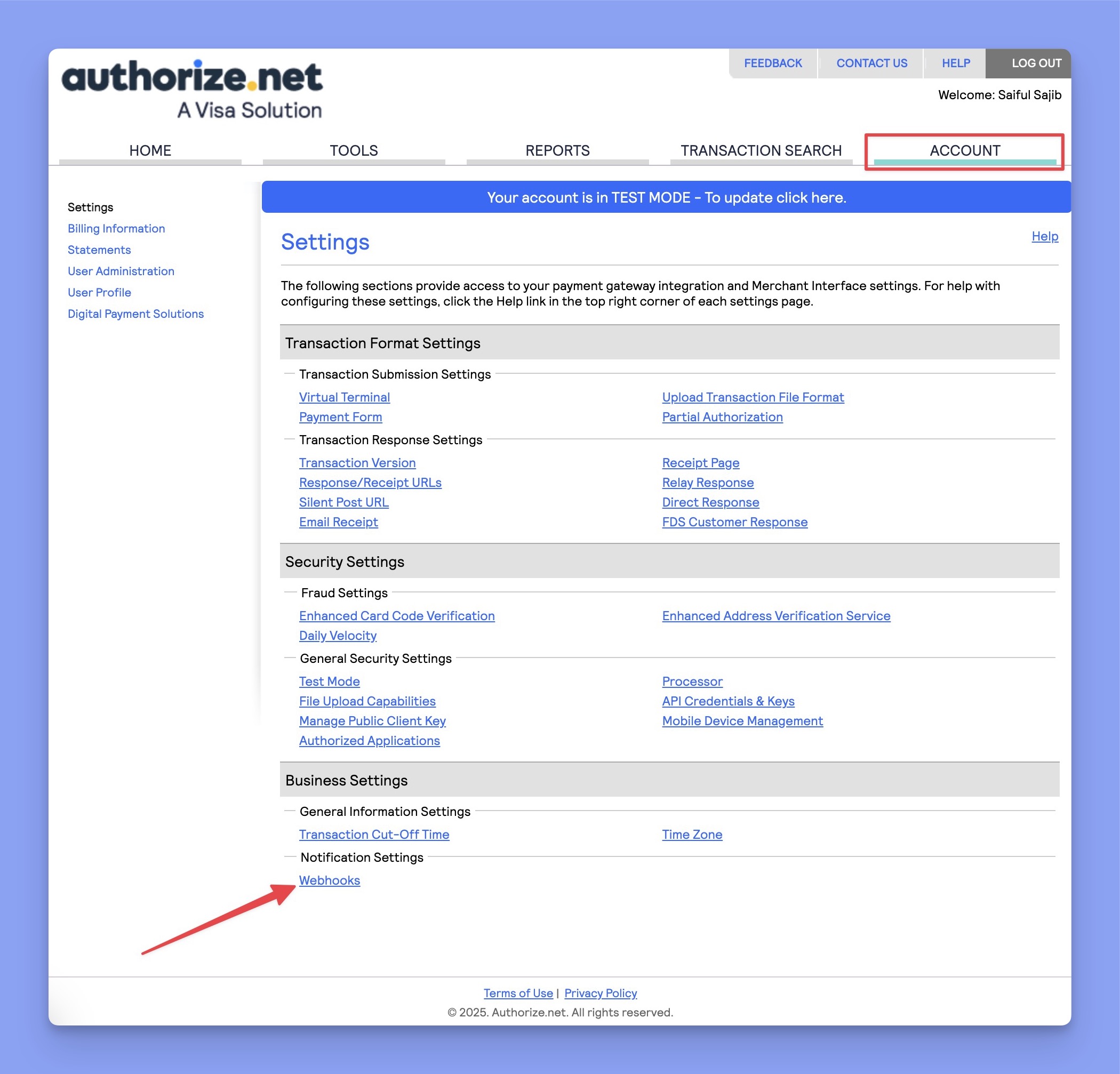
- On the Webhooks page, click on the Add Endpoint button.
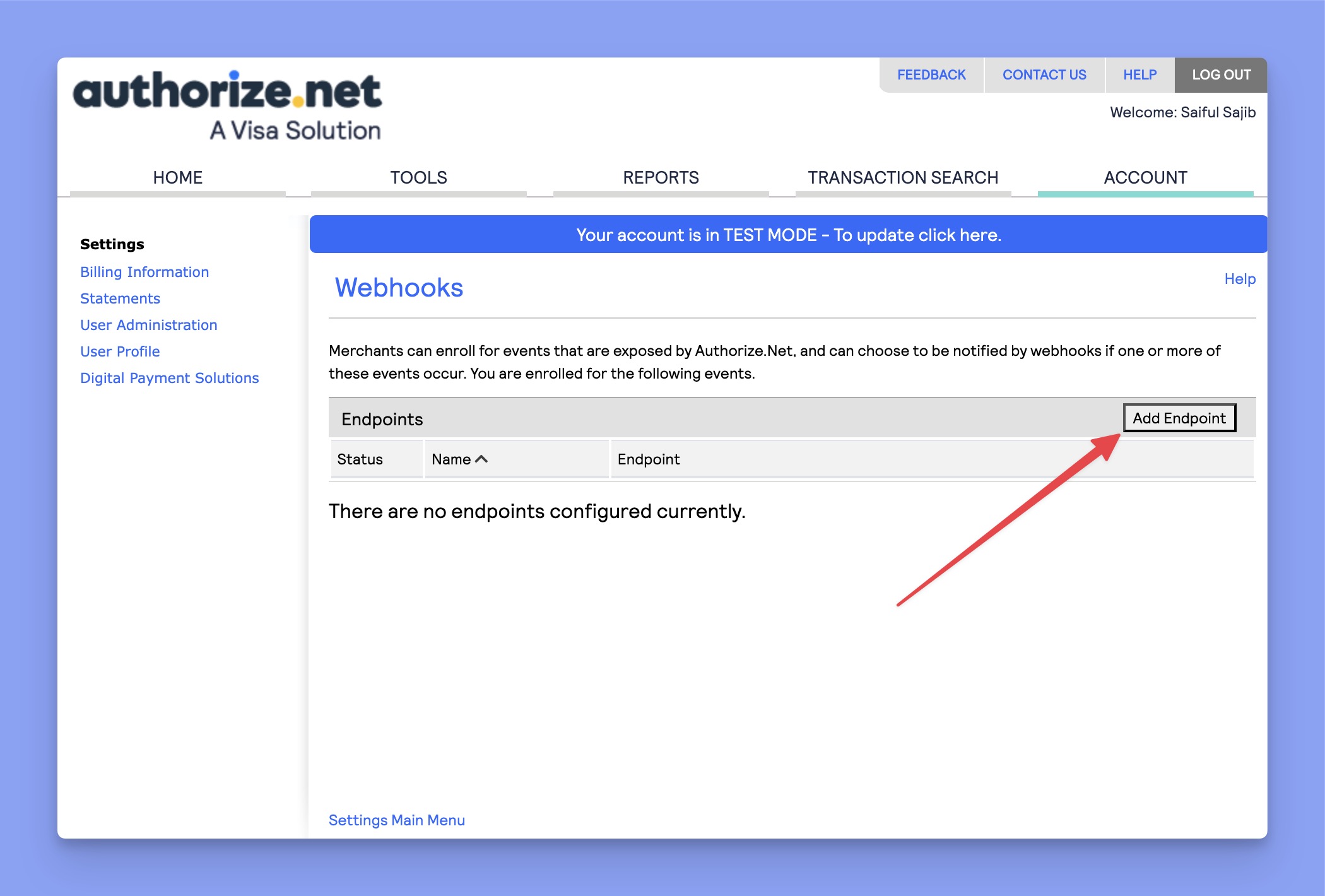
- There, you need to enter the Endpoint Name, Endpoint URL, and set the Status to Active. You can copy the Endpoint URL from the Authorize.Net settings on your website. The sample Endpoint URL is:
https://yourdomain.com/wp-json/tutor/v1/ecommerce-webhook/authorizenet
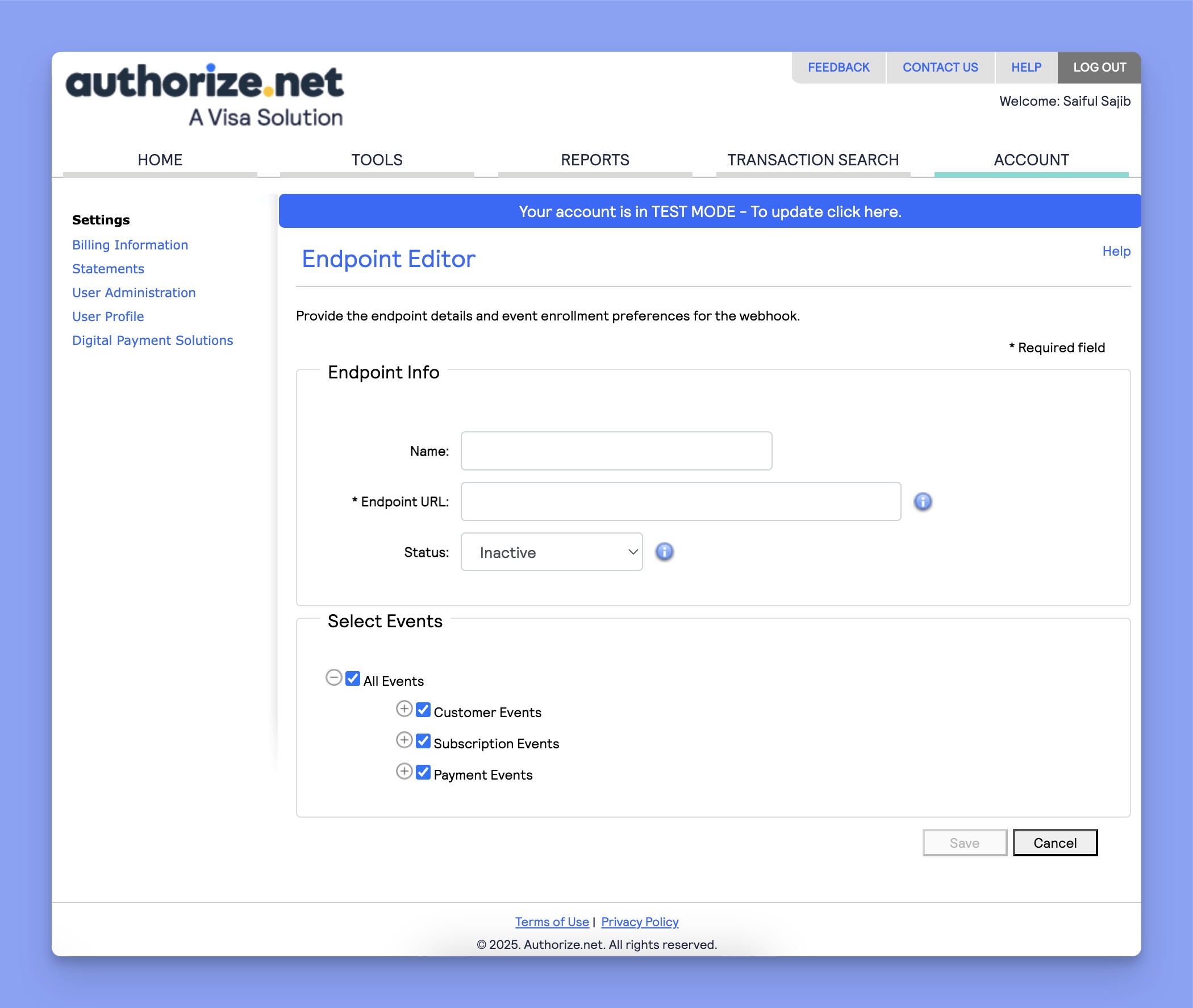
Finally, select the required events and click on the Save button.
Configuring Authorize.net Settings in Tutor LMS
Now, navigate to the Authorize.net configuration section and follow the steps below:
- Choose between Test or Live Environment, depending on whether you want to process real transactions or run test payments.
- Paste the Authorize.net Login ID & Keys in the input field.
- Click Save Changes to finalize your Authorize.net integration.
| Brand | Tutor LMS |
|---|---|
| License Type | GPL License |
| Activation | Pre-activated |
You must be logged in to post a review.
🔥 Black Friday Sale
Use the coupon code BLACK50 for an instant 50% discount on all items, including the Lifetime Membership.
The offer applies to all items, including Themes, Plugins, Membership Plans, Exclusive, and Lifetime Deals.
Offer valid till 30th November.
About Tutor Pro Authorizenet Addon GPL
Tutor Pro Authorizenet Addon GPL is listed under Tutor LMS on Real GPL. Files are original and unmodified; members receive updates for the period of their plan. Yes. Downloads from your membership can be used on unlimited personal and client websites.
- Product
- Tutor Pro Authorizenet Addon GPL
- Version
- 1.0.2
- Category
- Tutor LMS
- License
- GPL (original files)
- Last updated
- May 1, 2026
Frequently asked questions
Is the Tutor Pro Authorizenet Addon GPL download original?
Yes. Files are 100% original and unmodified, with no malware.
How do I get Tutor Pro Authorizenet Addon GPL?
Choose a membership plan or the product option on this page, complete checkout, then download instantly from your account.
How often is Tutor Pro Authorizenet Addon GPL updated?
Last updated on Real GPL: May 1, 2026. New versions are added as the developer releases them, and members receive updates for the period of their plan.
Can I use Tutor Pro Authorizenet Addon GPL on more than one website?
Yes. Downloads from your membership can be used on unlimited personal and client websites.
Where can I get help with Tutor Pro Authorizenet Addon GPL?
Our support team helps by email and support tickets.
More Tutor LMS
Get Original Lifetime & Exclusive Themes & Plugins Licenses
Premium original licenses for popular WordPress themes, plugins and website-building tools — available at exclusive prices.
Best Selling Original Licenses
Elementor Addons
Trending
And more fabulous deals — check the complete list of original licenses here

Reviews
Clear filtersThere are no reviews yet.